Updated
What's new: updated the testing period to 209 days of daily use, and added the in-chat AI tutor that now runs inside Q&A lessons.
This post contains affiliate links. If you buy through one of them, I may earn a commission at no extra cost to you. Some of the products I write about are also provided to me for free. See Full Affiliate Disclaimer.
Two days into my first Speak Japanese lesson, I asked a stranger in an AI chat (in Japanese) whether the seat was taken. I didn't know the actual phrase for "is this seat taken?" But Speak had taught me to use the small set of expressions I did know to get my point across. That's when I realized this app was doing something no beginner course had ever done for me before.
After 209 days of daily use across four languages, here's what I think: Speak is the first language app that teaches you to actually improvise within what you've learned rather than just recite fixed expressions. That's why it's become my #1 recommendation for beginners, and why I'd use it myself if I were starting a new language today.
If you're considering Speak and want to see what the beginner experience is like before signing up, this is the review for you. I'll walk you through the onboarding, lesson flow, and how the app trains you to speak — including my experience as an intermediate Spanish learner and a complete beginner in Japanese.
Full disclosure: I have an affiliate partnership with Speak, which means if you sign up through my links, I earn a commission. I disclose this on every relevant post. But I want to be clear: I'm writing this review because I genuinely believe Speak is doing something other beginner apps aren't. For some other apps, I've written far more measured reviews. This one is enthusiastic because the product earned it.
What Speak Gets Right That Other Beginner Apps and Courses Don't
Every beginner course I've used — Pimsleur, Pod101, Rocket Languages, Language Transfer, and others — has worked. They've each given me a foundation in languages as different as Spanish, Finnish, Cantonese, and Korean. And I’ve honestly enjoyed using all of them.
But every single one of them has left me wanting something I couldn't name. For years I just accepted it: "beginner courses are flawed by nature, but they serve their purpose." My goal was to get through them as fast as possible so I could reach intermediate where things got interesting.
Speak is the first app that solved what was missing — five things, specifically.
1. It gives you the repetition you actually need — but never the boring kind.
Most beginner courses teach you phrases once or twice and move on. So you quickly forget them. Speak hammers a phrase from every angle: repeating after a native speaker, producing it from English, swapping one word, use it in a mini-conversation, hear it in a new context.
I'm on my seventh language (not counting languages I’ve dabbled in) and I’m not some kind of memory freak. Even with mnemonic systems and nearly a decade of daily practice, I still need a lot of repetition before vocabulary truly sticks. Most apps just assume "you've heard it once, so you know it." Speak is the only one that actually gives you the repetition you need — without mindlessly brute-forcing it.
2. It builds in a sequence that actually makes sense.
Most beginner apps introduce random words and phrases with no clear progression. You never get the sense of "I know this. I can confidently use it." Which is discouraging, and why I think so many people quit and end up concluding they're "just not cut out for languages."
Speak builds logically. Step by step. You learn "my favorite food is Italian," then you learn to vary it: "I love Italian food," "my favorite food is Korean," "I don't like spicy food." Five or six variations later, you don't just know the phrase, you own the structure. That's the difference between memorization and fluency, and most beginner apps never bridge it.
3. It teaches you to improvise, not just parrot. This is a big one. Other beginner courses teach you fixed expressions — which can be useful, but they’re not very flexible. The moment a conversation goes off script, you're stuck.
Speak teaches you to take what you've learned and apply it. After two days of Japanese, with a vocabulary of maybe 10-15 words, I was able to ask a stranger if the seat next to him was taken — not because Speak had taught me that exact phrase (I didn’t have the vocab for that), but because it had taught me how to combine the small pieces I had into something useful. That's not something I've ever experienced with any other beginner app, even after weeks or several months of use.
4. It removes the "what should I do next?" question. A huge reason language learners quit is because they don’t know what to do next. With most apps and courses, it’s all on you — when to review words, how much to review, what lesson to do, etc. Speak handles it for you. You open the app, you tap the next lesson on the path, and do the activities. You press review, and Speak knows what your weakest areas are and what needs to be prioritized first. It’s like playing a video game, going from one level to the next just following the path.
5. There's no filler. Most language apps have games and gimmicky quizzes — exercises that feel like progress but don't actually build any real language skills. With every other beginner course I've used there are sections or features I skip. Speak is the first beginner app where I actually want to do all of it. Every activity is beneficial: the video lesson activates you, the drill cements, the AI Q&A applies, Free Talk takes it a step further, and the Smart Review makes sure you remember it longterm. Nothing feels unnecessary.
Compare that to apps where you spend ten minutes earning XP for matching pictures to words you already know. Or doing these click-on-each-word-in-the-right-order puzzle exercises that are just a waste of time.
A note on what Speak doesn't try to do.
Speak isn't trying to teach you to read Spanish novels or build effortless listening comprehension. Those goals need different tools. What Speak does is teach you to communicate: to ask, answer, improvise. Faster and more flexibly than any beginner tool I've used. Not only that, it teaches you to use grammar correctly without having to think about it, by just internalizing structures (Speak is big on this. More on this soon.)
If I had a trip to Italy in three weeks and needed to prepare from scratch, Speak is the only app I'd use. Three weeks isn't enough to develop meaningful listening comprehension — but it's enough to order food, ask where the bathroom is, have small exchanges, and improvise within a small base of vocabulary. That's exactly what Speak trains you to do.
Getting Started with Speak
This section walks you through everything that happens from the moment you sign up to your first real lesson — what Speak asks you, how it places you, and what the learning path looks like once you're in.
Onboarding and Placement
Tap the button below to land on Speak's homepage. When you’re in, tap Start your 7 day free trial to begin:
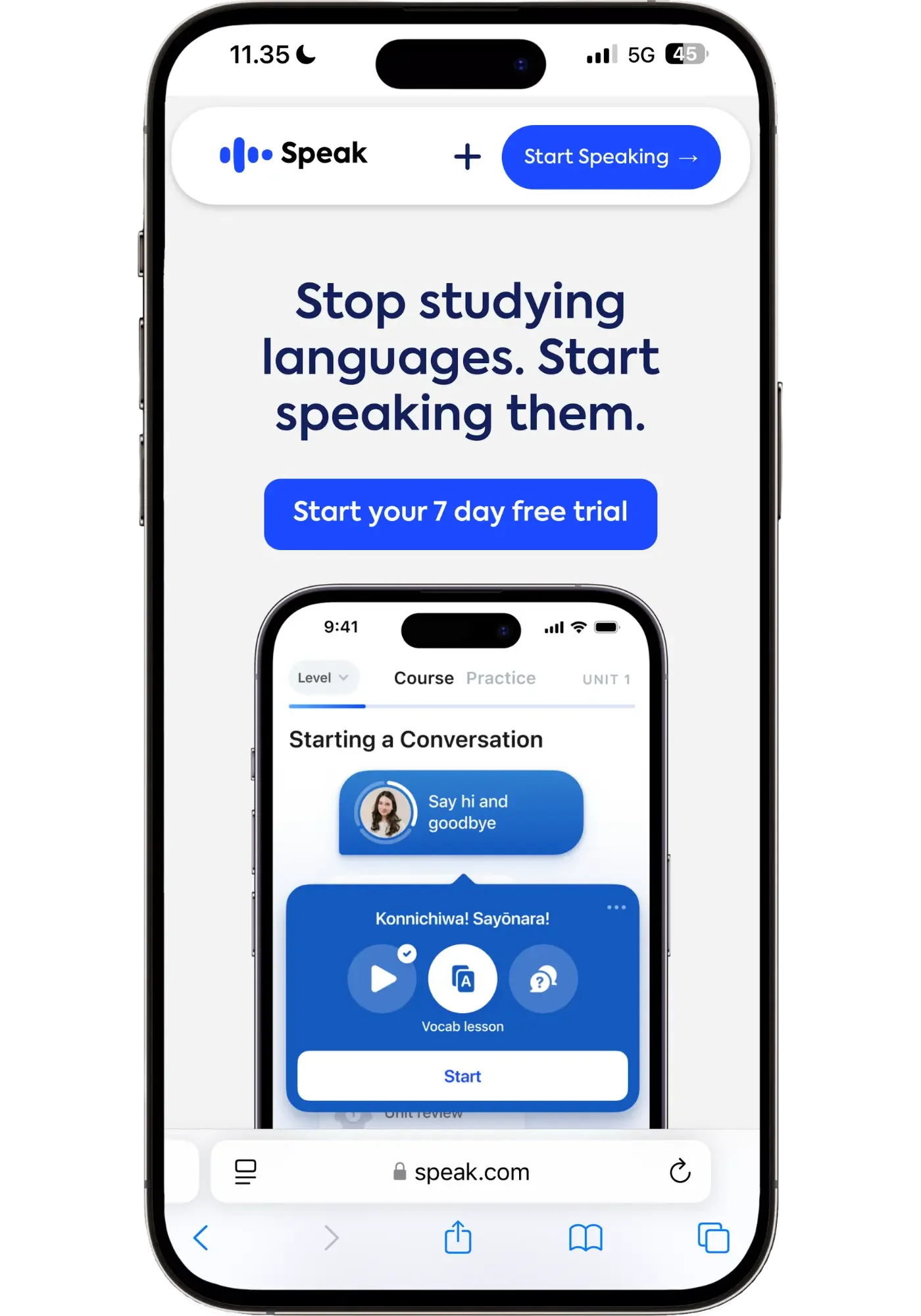
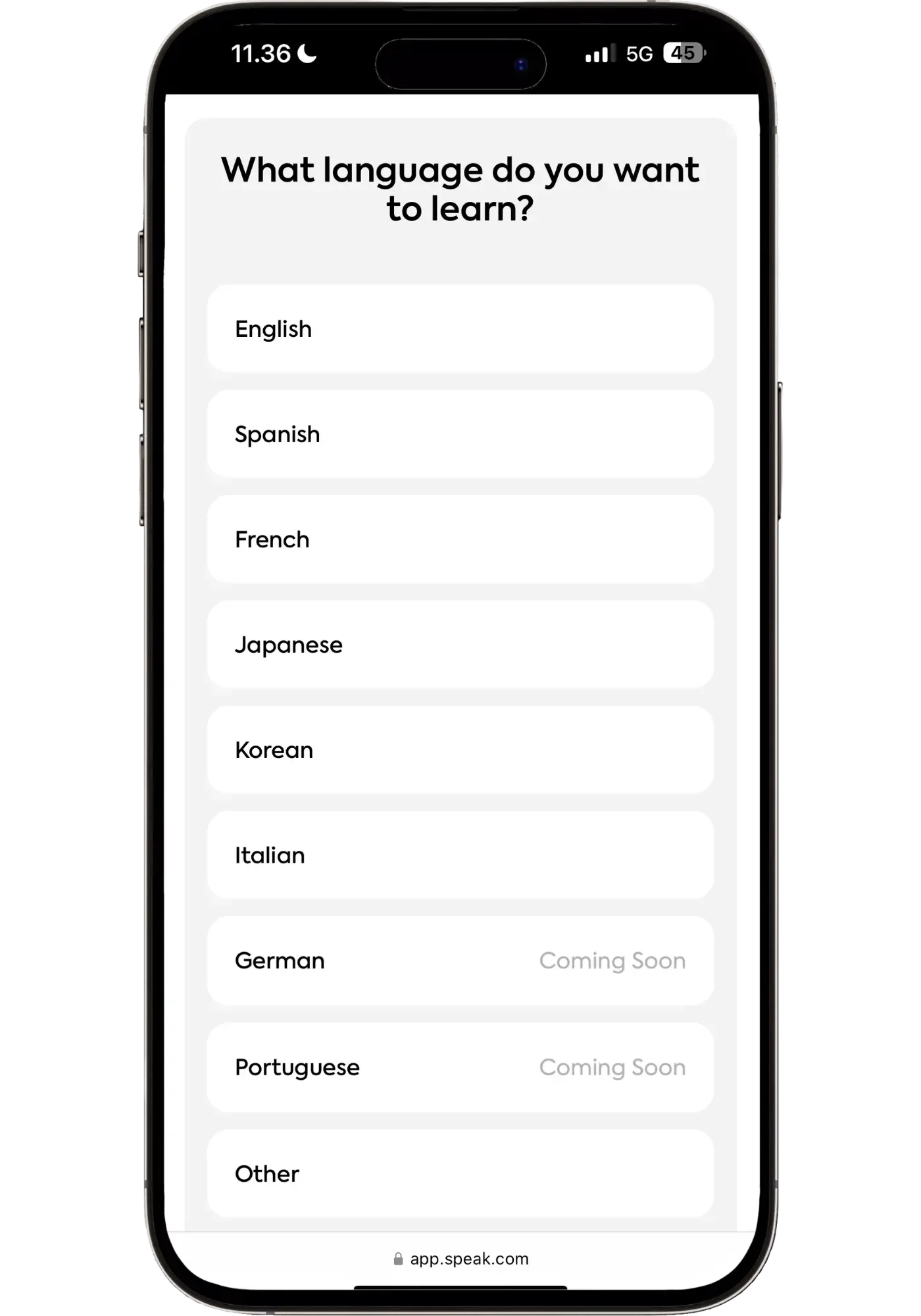
First, pick your language. Speak right now offers seven, with two more said to be coming soon. I chose Japanese, since I wanted to test its beginner experience.
Next, Speak asks what topics you're interested in. I chose Travel, Entertainment, and a few others. Speak confirmed my choices with a note on how they'd shape the course.
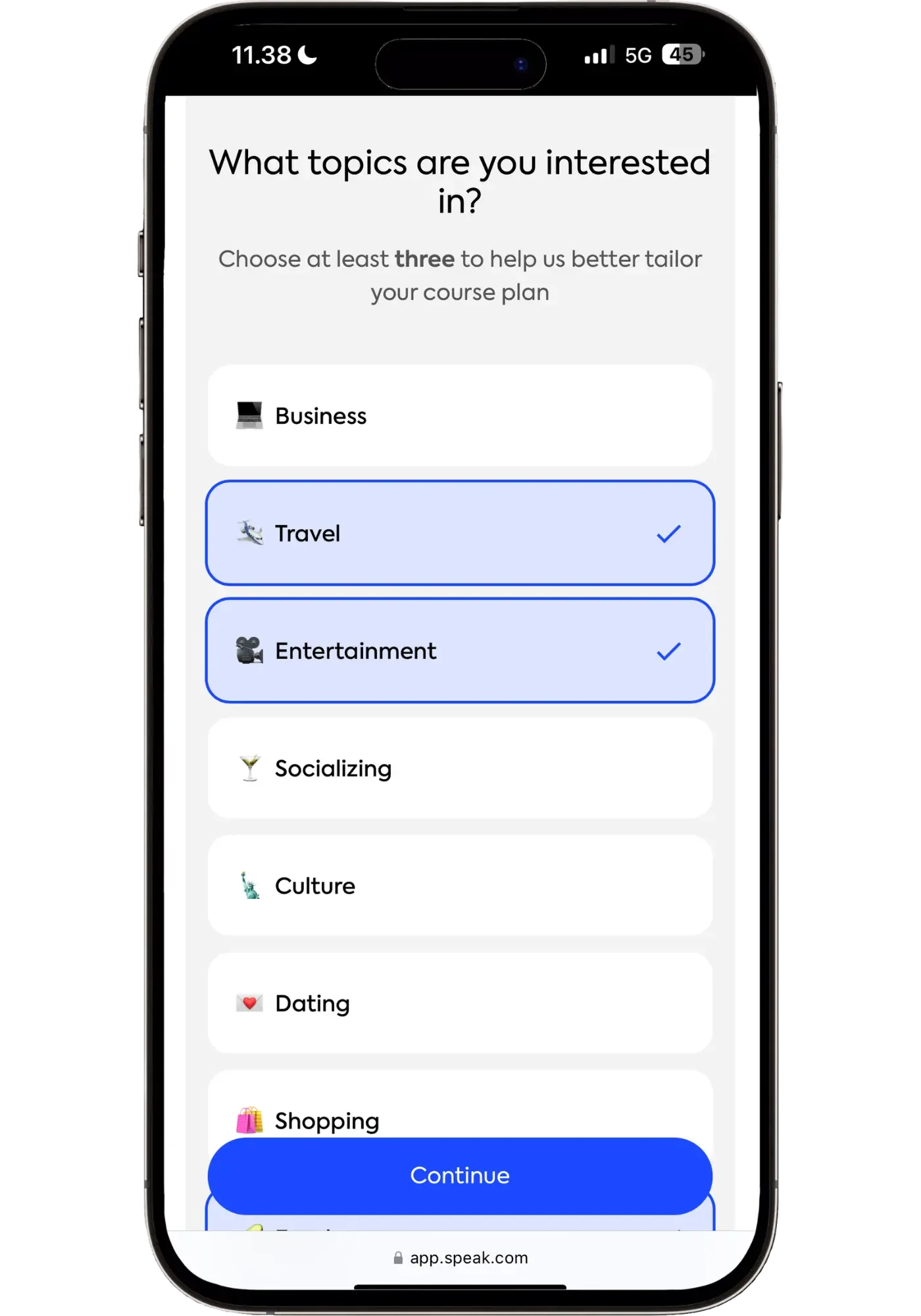
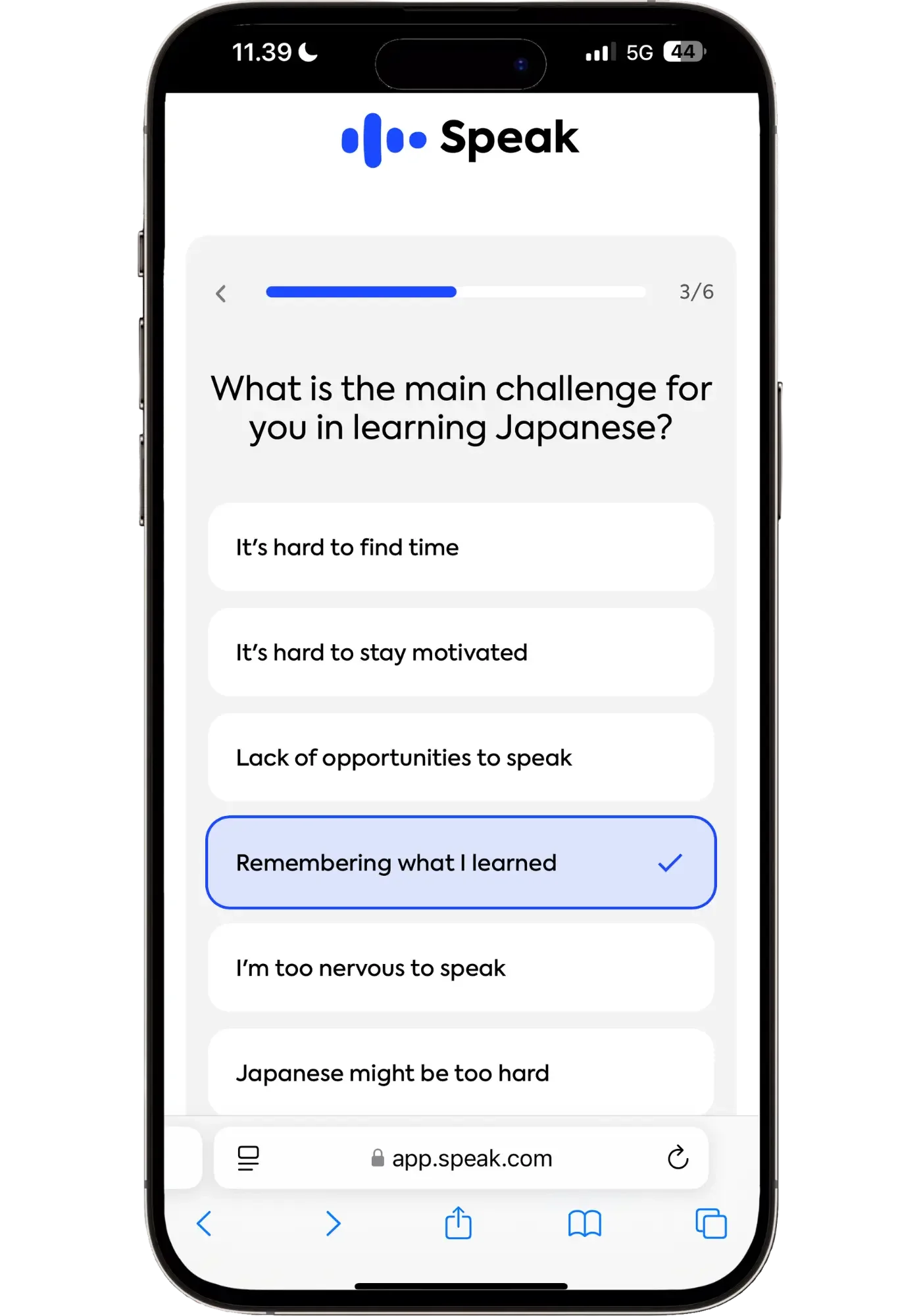
Then comes the question: what's your main challenge in learning this language? I picked "Remembering what I learned" — which I’ve found is the single biggest gap in most beginner courses. You learn a phrase, you feel like you've got it, and a week later (or even the next day) it's gone.
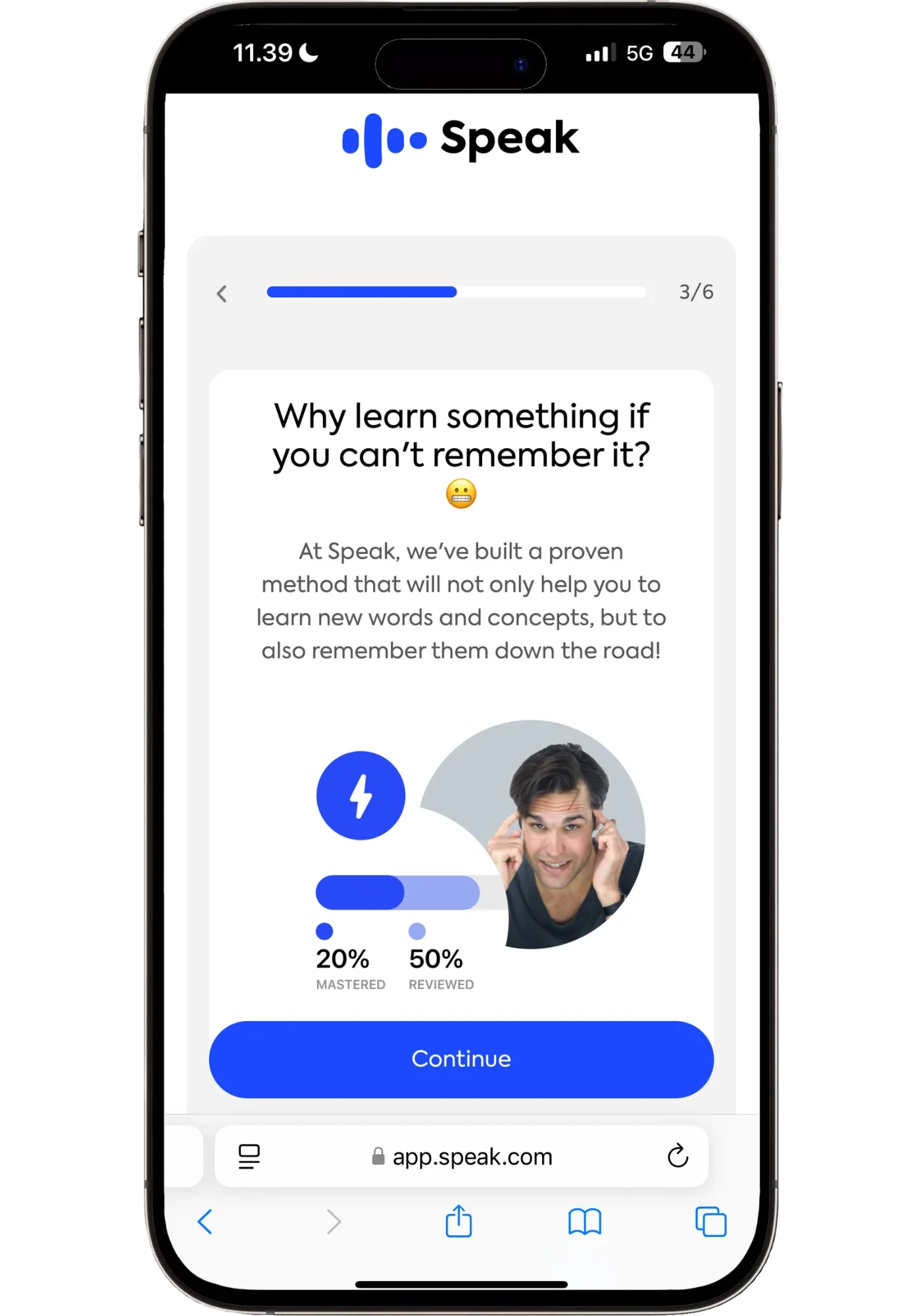
Speak responded explaining how its method is built specifically to make words stick long-term, not just pass through short-term memory. It sounded good, but I know that a lot of apps make similar claims. The real question was whether it would actually deliver on this promise.
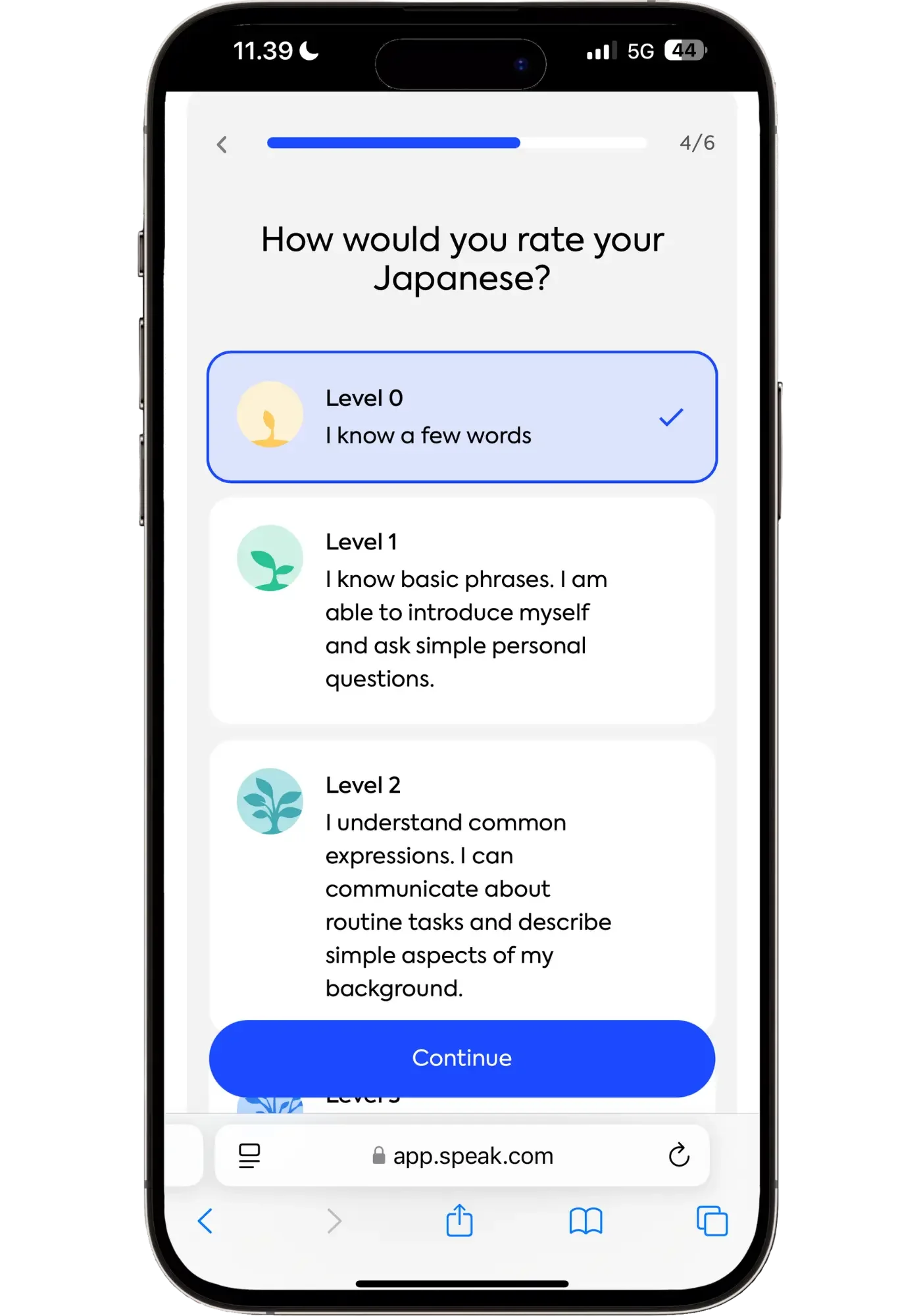
Then you rate your level. I picked Level 0 for Japanese — because I know maybe three or four expressions. This is where Speak places you on the right track, so don't overstate or understate. The app is calibrated to put you where you actually are.
That said, you can always jump ahead if you feel it’s too easy, or go back if you want to fill in some of your gaps (which I’m actually doing in Spanish) so I wouldn’t stress about it.
After that, it's the standard stuff: email, password, and picking a plan to start the 7-day free trial. One nice touch — Speak tells you it'll remind you two days before the trial ends, so you can try it without worrying about any surprise charges.
(I personally think regular Premium is the right pick for most beginners — more on why in the Premium vs Premium Plus section)
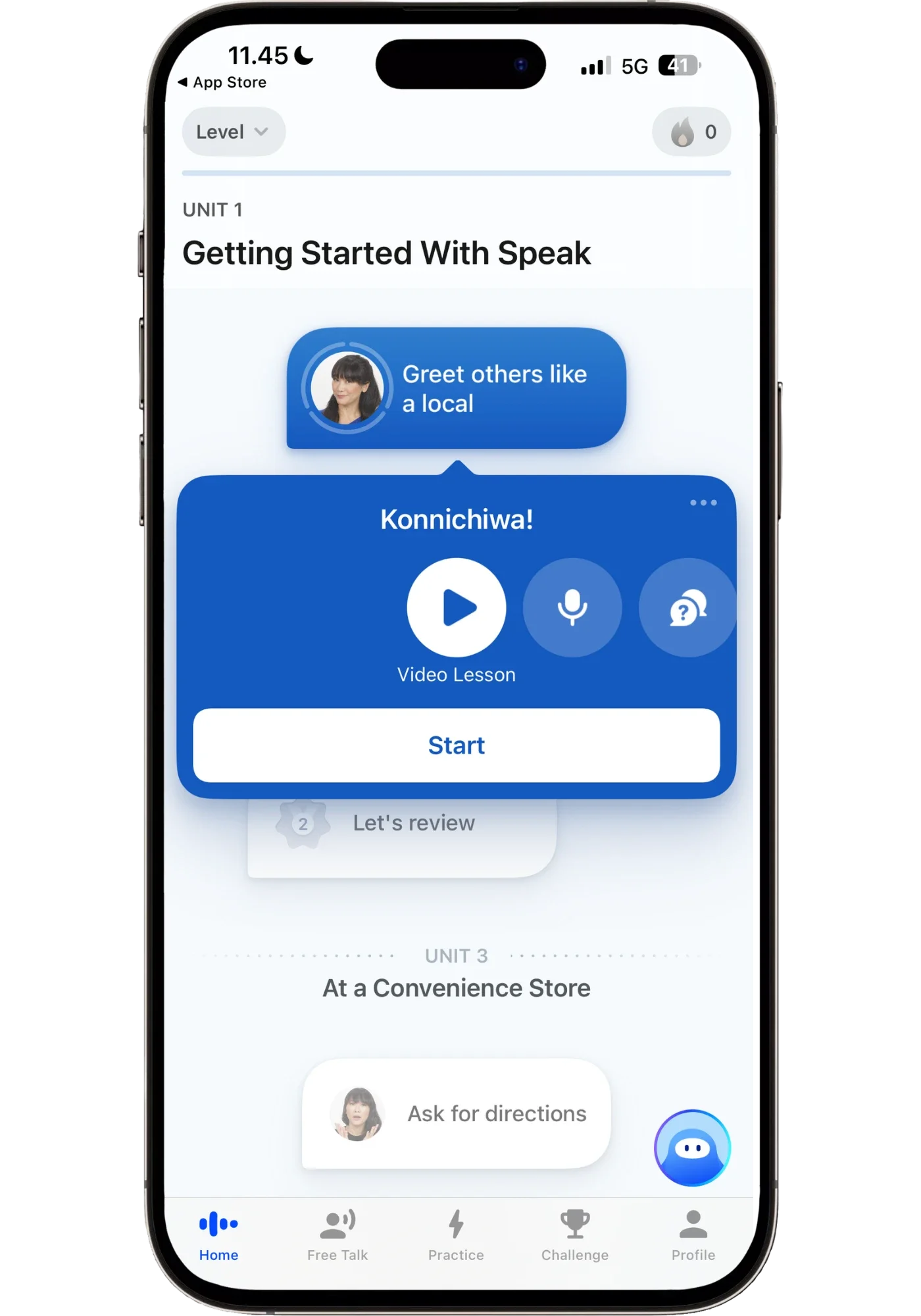
And then you're in. The app takes you straight to your first lesson.
The Structured Path & Progress
Speak's path takes you from complete beginner through intermediate, with some languages going up to advanced.
Early units teach things you'd actually say within the first minutes of meeting someone (your name, where you're from, what you do). It doesn't waste your first week on colors, animals, and numbers. Instead, it quickly focuses on asking for directions, ordering food, customizing your food orders, etc. — stuff that’s actually useful right away in a foreign country, even when you still have a very small vocabulary.
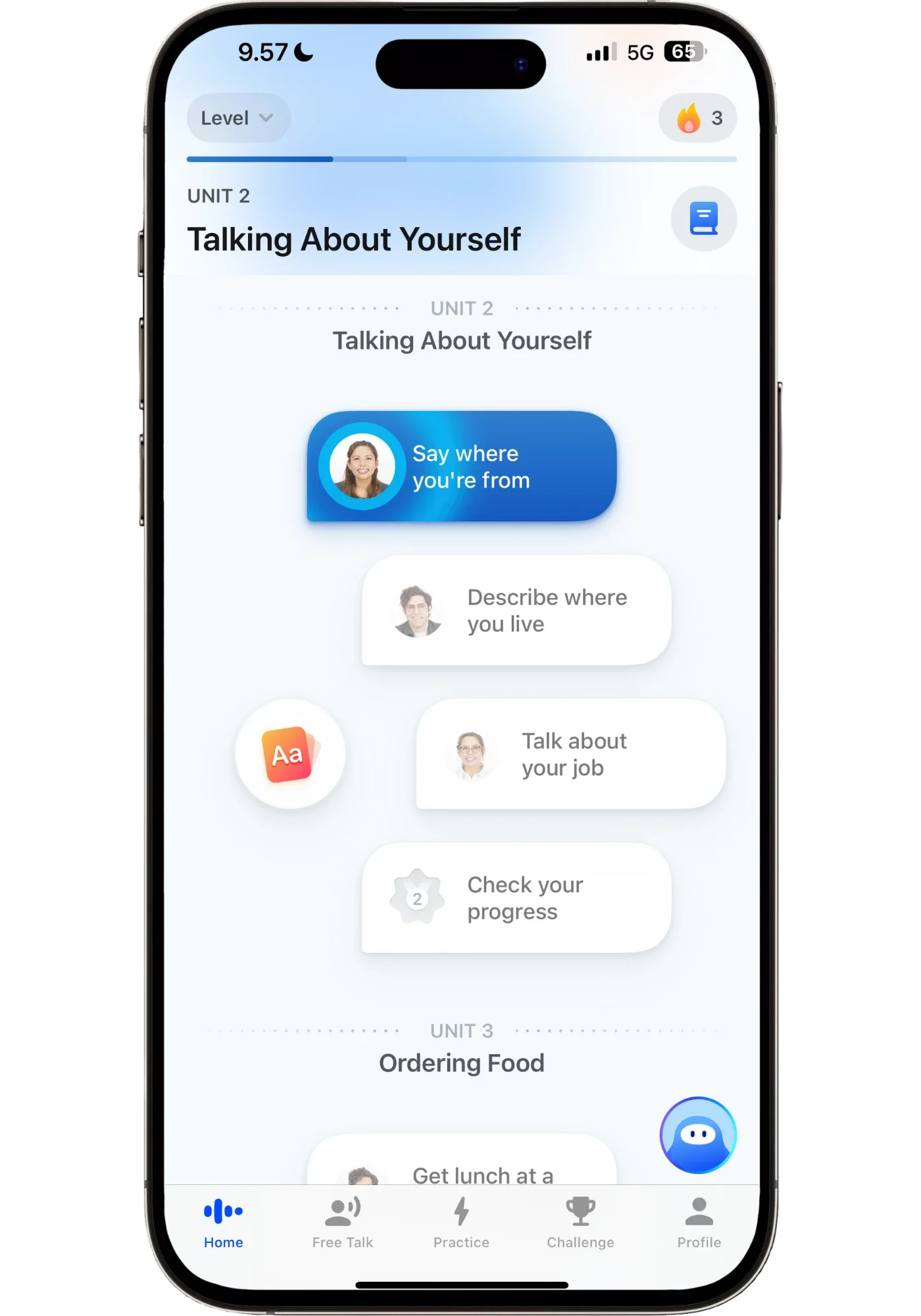
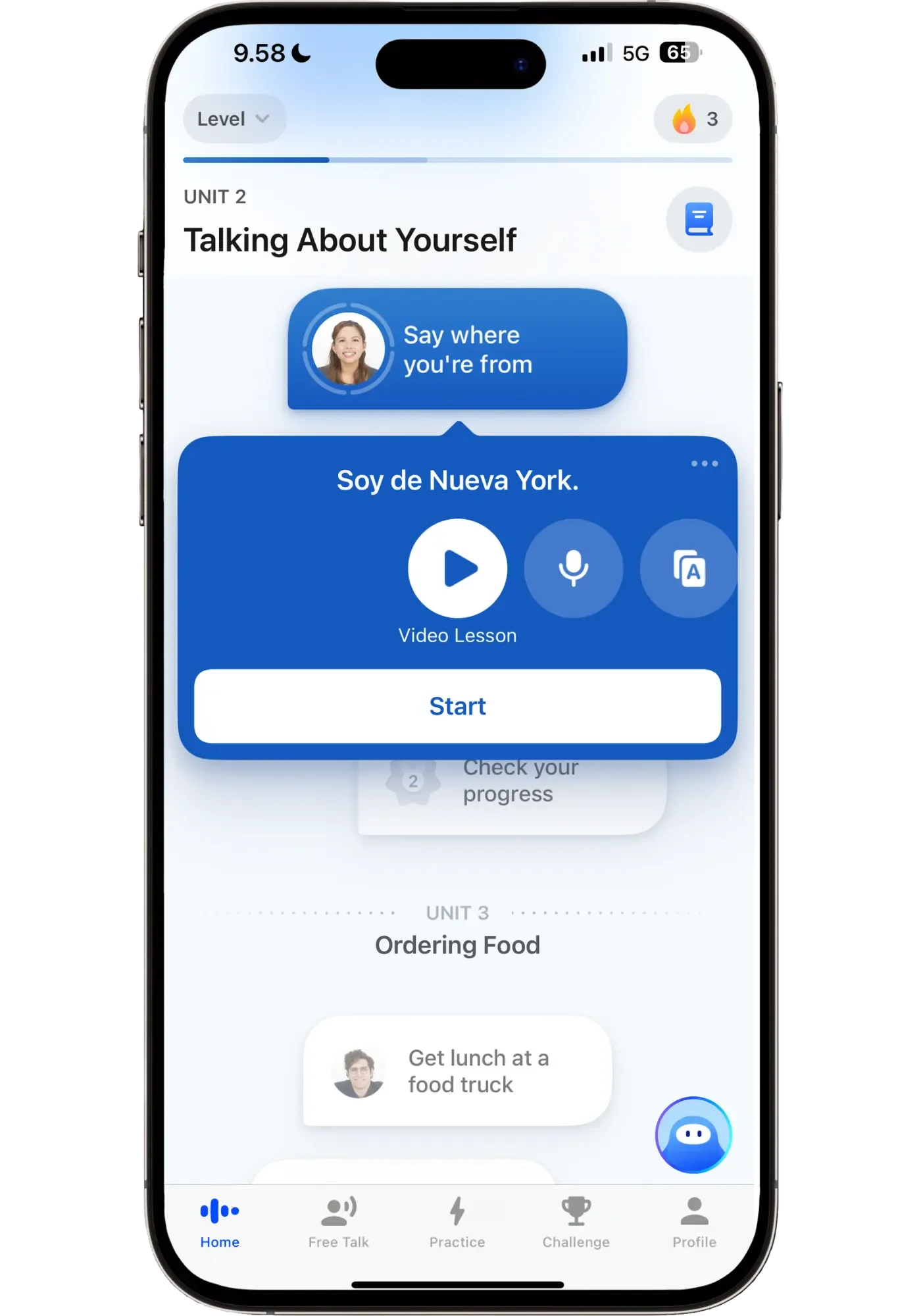
What’s especially great is how lessons build on each other. For example, in one lesson I learned "¿Cuánto vale estas sandalias?" — 'how much are these sandals?' A couple of units later: "¿Tiene estas sandalias en otro color?" — 'do you have these sandals in a different color?' There’s a kind of deliberate sequencing — building on what you already know to form increasingly useful sentences — in a way I haven't seen in any other beginner app.
The Lesson Structure Flow
Speak lessons generally progress through the same four stages:
Video lesson → Speaking drill → Vocab Builder → AI Q&A.
This flow is how Speak makes you not just learn a phrase, but internalize it to the point where you can use it — at will (which is the point earlier I made about what beginner apps get wrong).
The exact content varies by language and topic. Some languages (like Japanese) include extra vocabulary-reinforcement lessons because the words are so different from English, and need more repetition to stick. And as you go farther, lessons start changing to adapt to what you need at each stage of your learning. Though the general flow stays more or less the same throughout.
Video Lesson
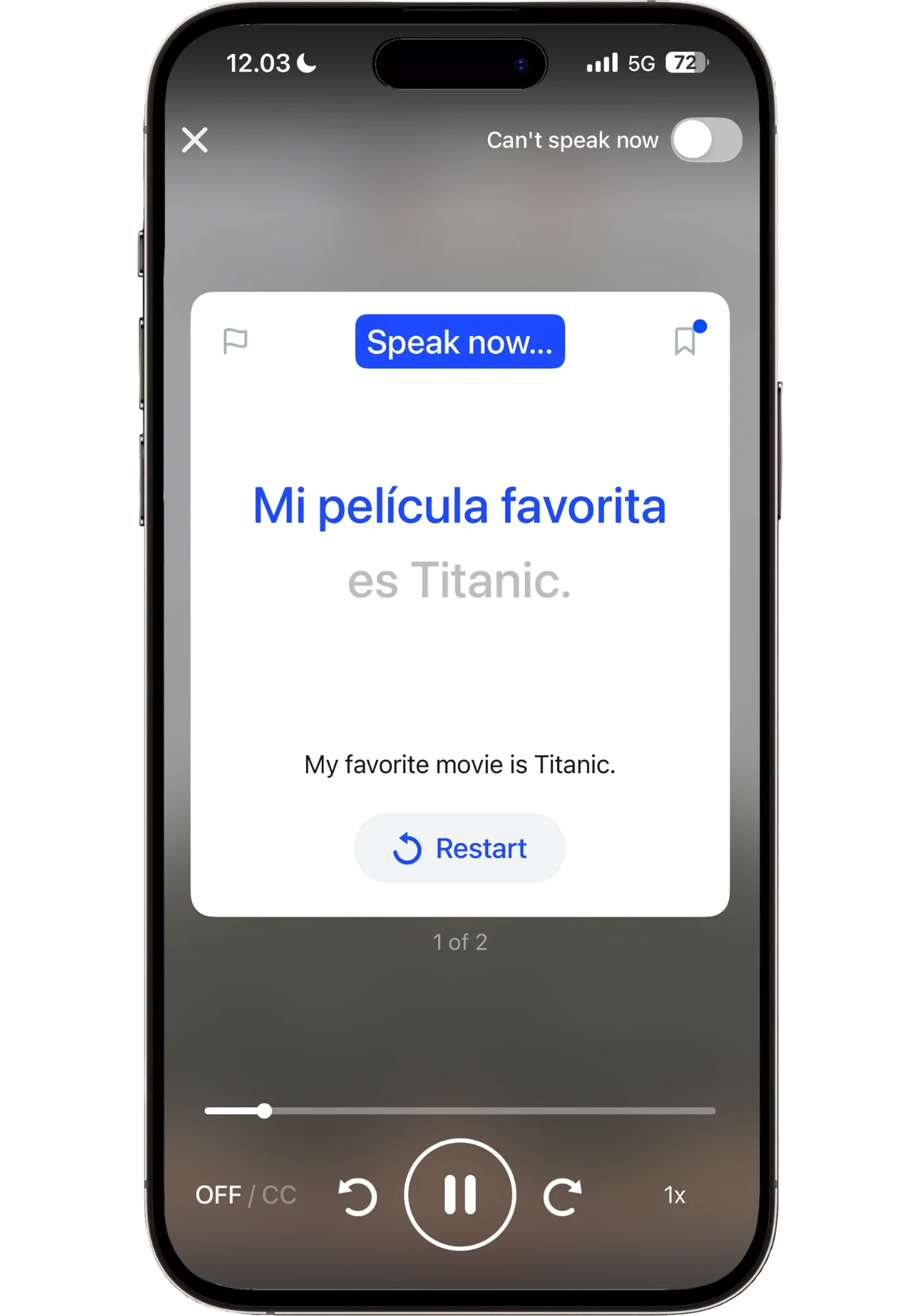
Each lesson opens with a video taught by either a male or female bilingual presenter, depending on the lesson. They're short — 2 to 4 minutes — but they do a lot in that time frame, because they’re clear and to the point. Here’s an example from a video lesson in the Beginner Part 2 Spanish course:
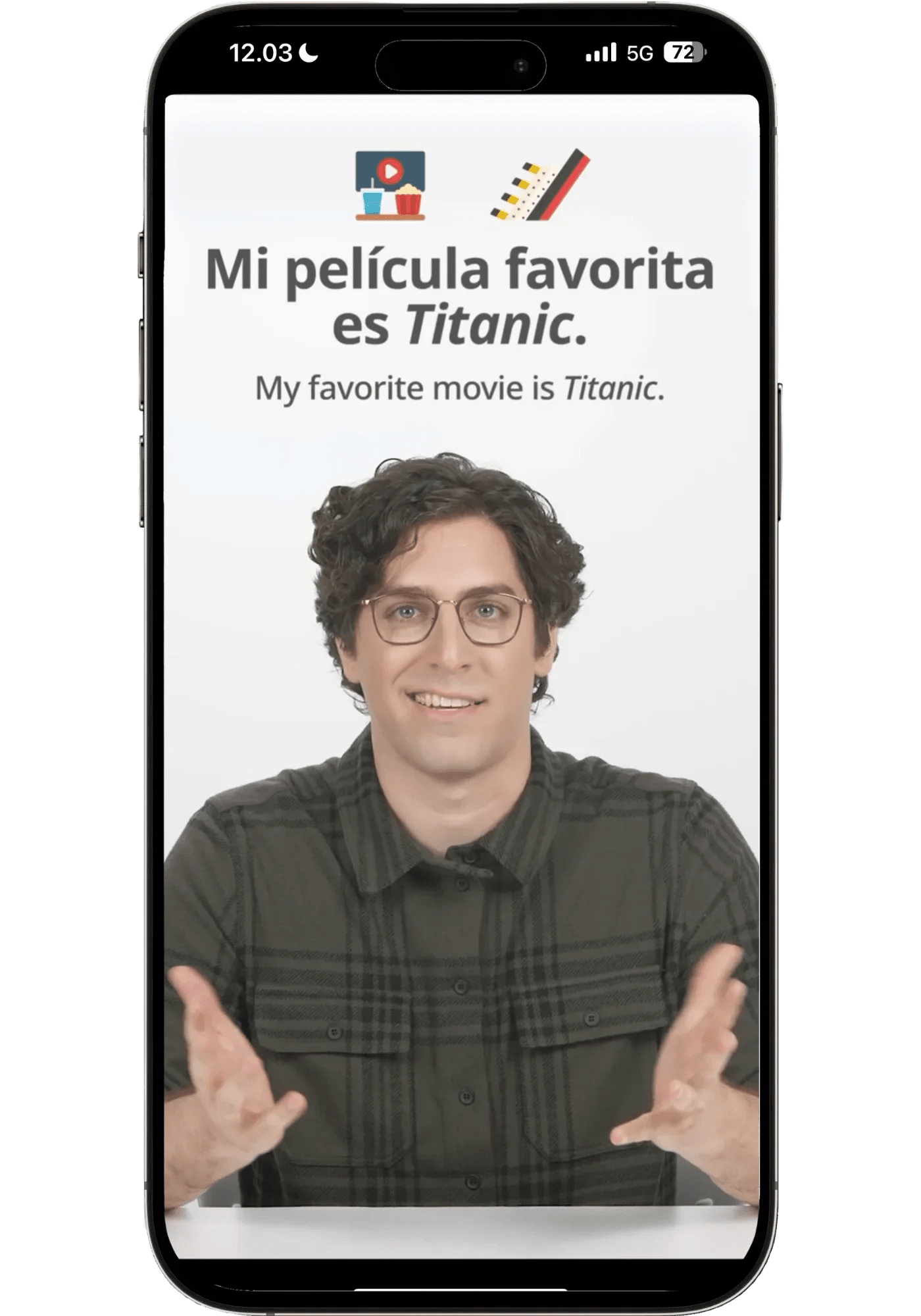
First, the Spanish presenters are genuinely good. Professional but relaxed, warm without being performative. The male presenter made me laugh out loud at one point — he has a way of delivering lines that lands more like a friend teaching you than a textbook narrator. The female one is just as engaging, and together they make the video lessons feel like having personal coaches cheering you on. They’re also completely bilingual — speaking both native Spanish and American English.
Second — you’re not just passively watching, you’re actually participating in these video lessons. After the presenter introduces a phrase — you're prompted to say it out loud. Speech recognition will then check if you got it right.
Third — the example phrases are actually interesting. The typical beginner course teaches you "at the post office," or "at the bank." All sort of useful since you learn different structures and vocab through those. But how often do you actually go to the post office in a foreign country to send a package? Speak focuses on vocab you’ll actually use, starting with the most useful first. It teaches you “where is the convenience store?”, “sharing what your favorite movie is”, “ordering at the taco truck”, “how to ask for no onions” and so on — things you'd actually need to know when in the country, ordering food, or talking to a friend.
It's much more motivating to build vocabulary you'll actually need than to memorize phrases for hypothetical situations.
Speaking Drill
After the video introduces the phrases, the speaking drill is where you start nailing these down and adds more similar phrases:

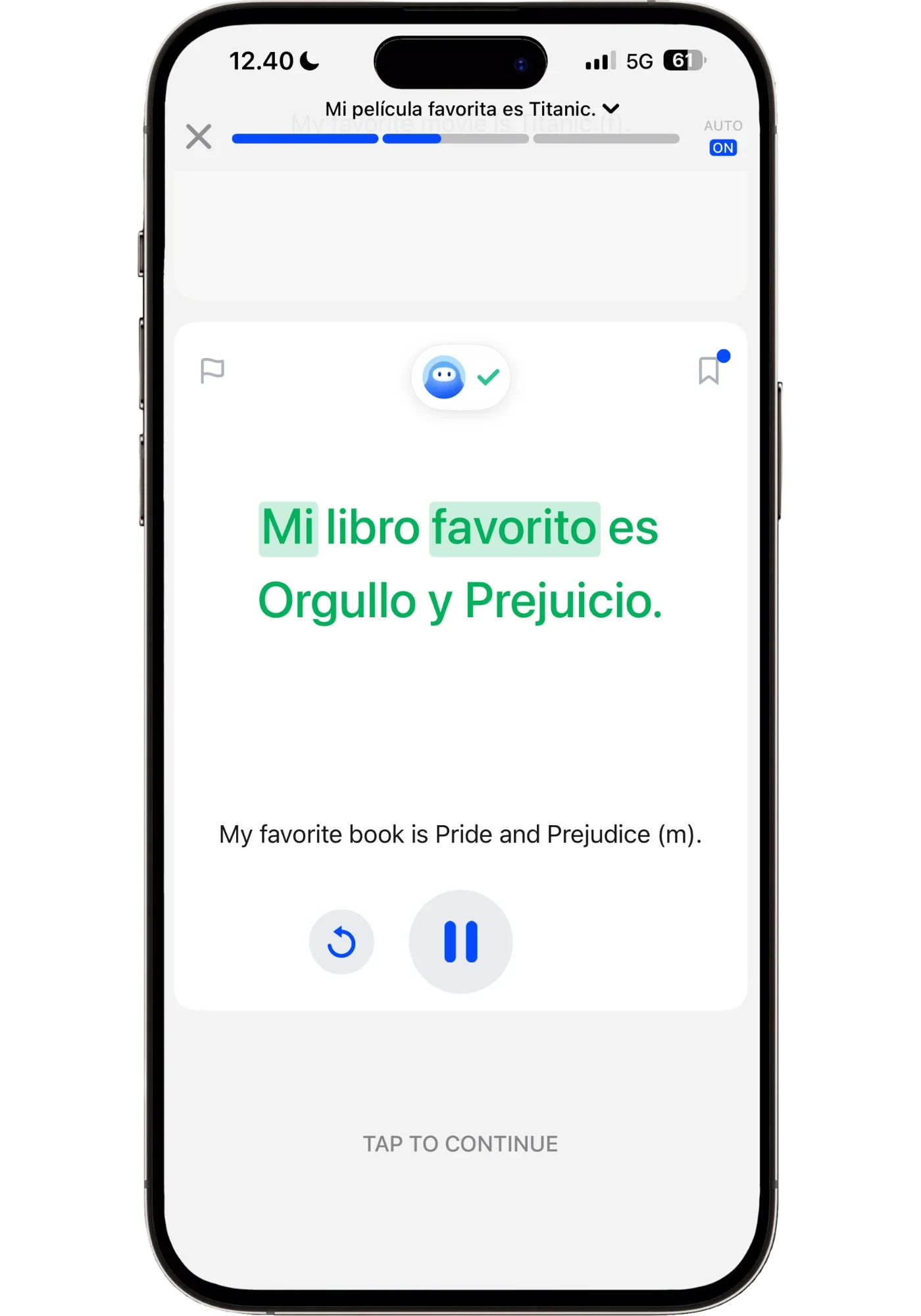
You first get repetitions just mimicking these after the native speaker. Progressively more and more words are covered, so you have to use your ears. And after a while, you're being prompted from English — "My favorite book is Pride and Prejudice" appears on screen, and you have to say that in Spanish. It’s a smart progression that moves you from only recognizing a phrase to be able to use it.
Speak's speech recognition is lenient, which is helpful as a beginner. But sometimes, maybe a little too lenient (I once said 'frijero' and it accepted 'frijol'), but mostly it errs in the right direction: accepting close-enough pronunciations rather than frustrating you with a perfect-or-you’re-wrong approach.
Check your own pronunciation: Two play buttons after rep — One replaying the AI voice, the other a recording of you saying the phrase. So you can listen back to yourself and compare to the AI to self-correct.
One clever detail: the drills give you partial feedback in real time. I love this one. If you produce most of the sentence correctly but miss one word, all the correct words light up while the incorrect one stays neutral. You instantly see what you got right and what you need to rethink — without being told "wrong, try again." That kind of feedback is exactly what makes you aware of what you’re actually saying, not just repeating a phrase on autopilot, and without breaking up the flow of your practice.
The drill also sprinkles in brief grammar tips wherever relevant. Small callouts explaining why a particular form is used, without turning the lesson into a grammar class.
Vocab Builder
Once you've drilled the core phrase, Vocab Builder takes the structure you just learned and lets you practice it with new fillers.
You just learned "Me gusta la comida mexicana" (‘I like Mexican food’) — now you'll say it with Italian food, Chinese, Thai, Japanese. Using the same structure, just different words slotted in, which makes it more varied but also automatically teaches you new vocab.
Most beginner courses give you one or two example sentences using a pattern and then move on. Vocab Builder does the opposite — it stays on the pattern long enough for you to own it, while simultaneously expanding the vocabulary you can plug into it. By the end of a single Vocab Builder session, you're not just able to say you like Mexican food. You can name a preference for several cuisines you'd realistically talk about. Which only strengthens how well you know and can use that pattern.
This is why Speak's beginner content compounds differently than other apps'. You're not accumulating a pile of disconnected phrases — you're accumulating structures with increasingly flexible vocabulary inside them. It's the difference between learning phrases from a phrase book and equipping you with the tools you need to have an actual conversation.
AI Q&A Practice
This is where Speak's speaking practice stops being a drill and starts becoming a conversation. It's not a full open-ended conversation yet — that would be overwhelming this early. Instead, it's a short Q&A exchange in a scenario like "Sharing Favorites" or "At the Market." The AI asks you something. You answer. It responds. You keep going.
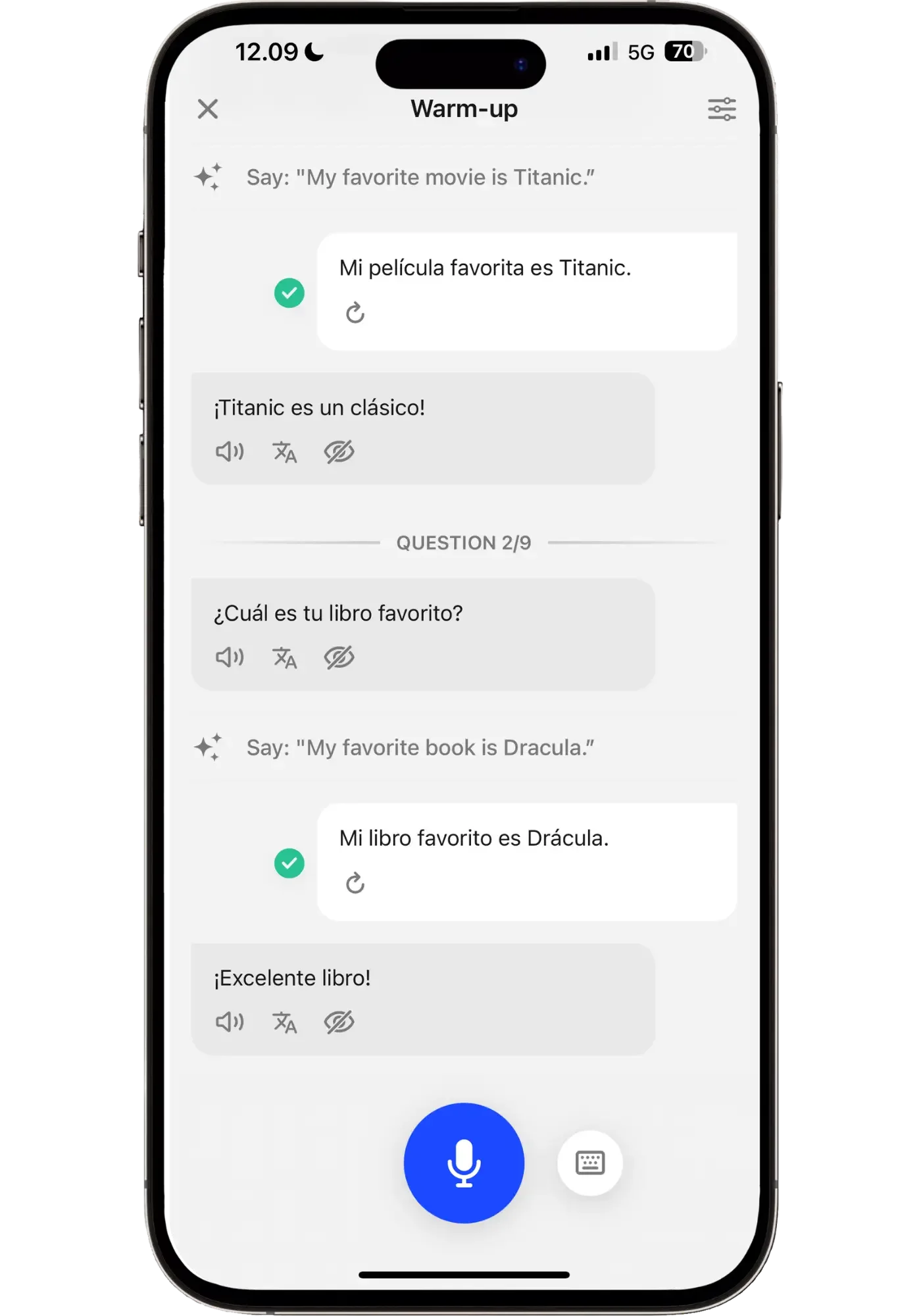
When the AI asked "¿Cuál es tu película favorita?" Speak prompted me for what to answer: “Say: ‘My favorite movie is Titanic’” so I answered with "Mi película favorita es Titanic" — the exact phrase from the video lesson.
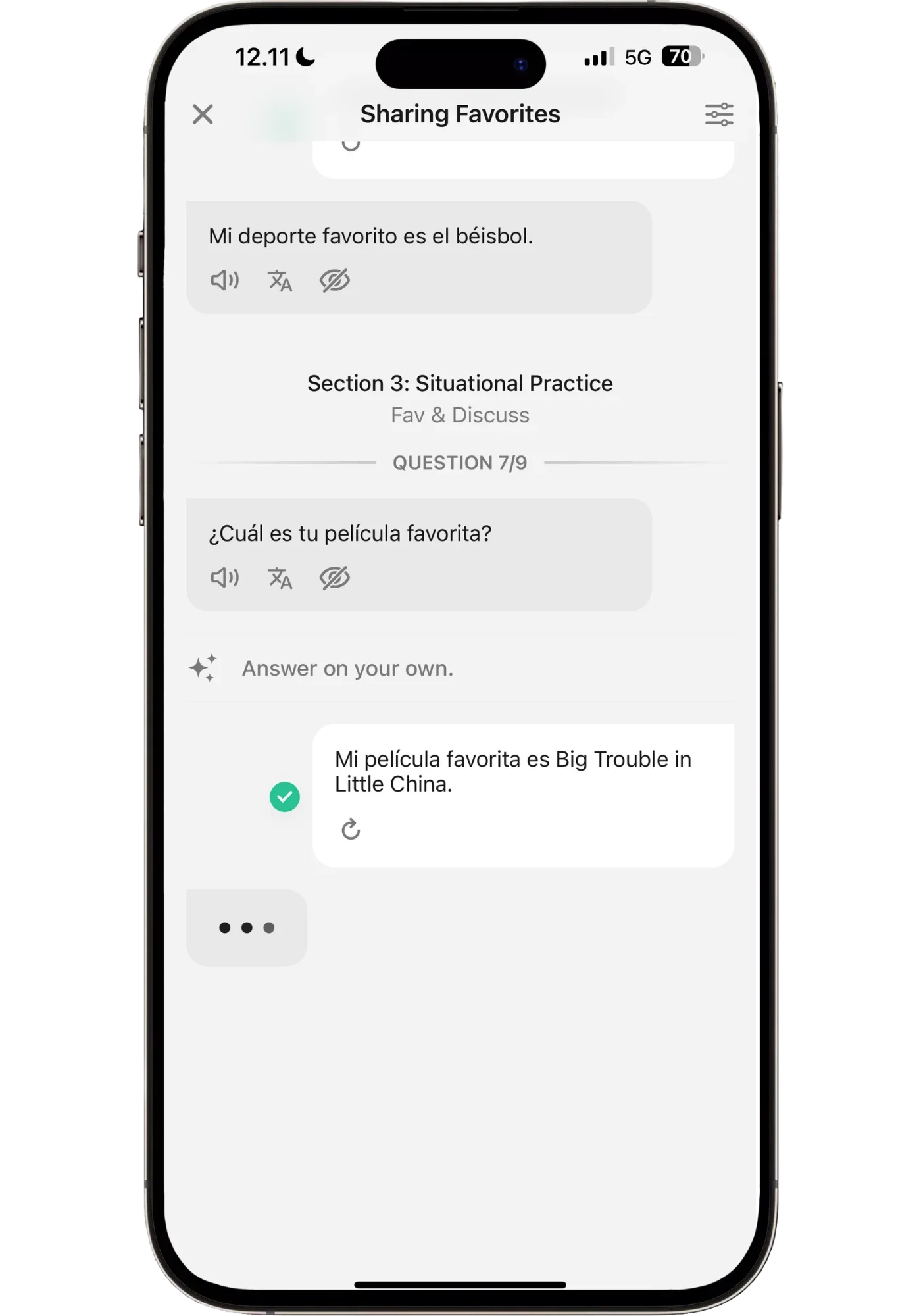
Then, when the AI asked "¿Cuál es tu película favorita?" (‘what’s your favorite movie?’) it now told me to “Answer on your own”, giving me freedom to answer however I’d like. So I told it my actual favorite is Big Trouble in Little China. The AI picked it up, kept the conversation going, and suddenly I wasn't repeating a scripted line — but sharing my actual favorite movie: a John Carpenter cult classic.
In essence: the drill gives you the structure. The Q&A shows you how to apply it to conversations.
If you don't know a word in your target language, you can just say it in English. Speak transcribes it as if you'd said it in Spanish. You see the correct word appear in your own response, which is a remarkably painless way to pick up new vocabulary. You're not penalized for gaps — you're shown how to fill them, mid-conversation, in context.
One caveat when using it for Japanese: In the Q&A session, instead of transcribing English words I said into Japanese, it transcribed it as English. There is a hint button, and I could have asked the tutor after the lesson, but I would have liked the tutor to show me exactly what to say in the lesson. Not a deal-breaker, and they might update this at some point, but something to be aware of if you're learning Japanese specifically.
When you make a mistake, Speak corrects you with the phrase you should have used, and optionally explains why (more on that in the Pocket AI Tutor section.)
Other Lesson Types You'll See as You Progress
The four-stage flow — video, drill, Vocab Builder, AI Q&A — is the backbone of every beginner lesson. But a few other lesson types show up as you move through the course. Here's a quick tour:
Grammar Focus lessons drill grammatical patterns more intensively than regular lessons do — for example, tricky gender agreement structures in Spanish. What I appreciate is that they never turn into a grammar class. You're still speaking, not filling out exercises or trying to wrap your head around rules that make your brain hurt. You’re learning them intuitively by using them in different contexts, letting the language itself teach them to you.
Review lessons show up at the end of each unit — short 1-3 minute sessions that consolidate what you just learned before moving forward. These are usually the kind of exercises I’d skip in language apps because I find them boring and ineffective. Speak's are the exception: they're short, infrequent, and they hit the exact things you need reinforced, and they use smarter exercise formats than the typical matching-and-multiple-choice filler.
Roleplays appear as you move past pure beginner content and hit pre-intermediate. These are more open-ended than AI Q&A — they inch closer to full conversations, but still structured enough that you're not thrown into the deep end. Think of them as the bridge between guided Q&A exchanges and Free Talks (more on this in the Free Talk section). This is the type of difficulty curve calibration that I have never seen before in a beginner app. It’s challenging, but the +1 motivating kind — you never feel lost.
AI tutor lessons replace the human-led video lessons once you reach pre-intermediate. I was skeptical when I first saw these — I figured the quality would drop the moment real humans disappeared. It doesn't. The AI tutor handles explanations and demonstrations smoothly, the pacing is good, and you still speak aloud and participate the same way you did in video lessons. If anything, the AI lessons feel slightly faster-moving, which is exactly what an upper-beginner or intermediate learner wants.
All of these lessons serve a purpose and equip you with the skills, step by step, that you need for real conversations.
Core Features That Make Speak Different
Most language apps look similar on the surface — drills, progress bars, streaks. What sets Speak apart is underneath: how it tracks what you've learned, and how its AI tutor helps you when you get stuck. Some apps have versions of some of these features — what makes Speak stand out is how it ties all of them together into a whole that, not only makes sense, but makes it a seamless learning experience.
These are some of the features I'd point to if someone asked me why Speak sits at the top of my rankings.
Smart Review and Concept Mastery
Remember what I put down as my biggest challenge during the onboarding? The “remembering what I learned”? This is the feature that solves it. In fact, no other beginner app I've used handles this as thoughtfully.
Speak calls the things you learn concepts — like "me gusta el [noun]" or "me encanta la comida [quality]". These are the grammatical structures that form the foundation of speech and we can apply different vocabulary to.
![Speak app screen displaying "4 New Concepts" added after completing a lesson, including "me encanta el [noun]," "¿te gusta el [noun]?," "me encanta la comida [quality]," and "no me gusta el [noun]," each marked as ready for review in 4 to 7 days.](https://images.squarespace-cdn.com/content/v1/609321392c4bb5097c40f34d/11645eb5-6a88-4095-a611-890b761823d7/Speak+showing+4+new+concepts+added+after+a+lesson)
4 new concepts gathered from my lesson.
You pick up new concepts as you complete lessons, and each one enters your personal review library with a mastery score. The mastery score isn't just a gimmick — it updates based on how well you use the concept across drills, AI Q&A, Free Talks, and dedicated reviews.
This is what makes it so powerful: Speak tracks your usage across every activity in the app — not just reviews. Use a concept correctly in a Free Talk? Your mastery score goes up. Fumble it in a drill? Speak prioritizes it for review. This makes your practice time incredibly efficient — you're never wasting minutes on things you already know. Every review session targets exactly where you're weakest.
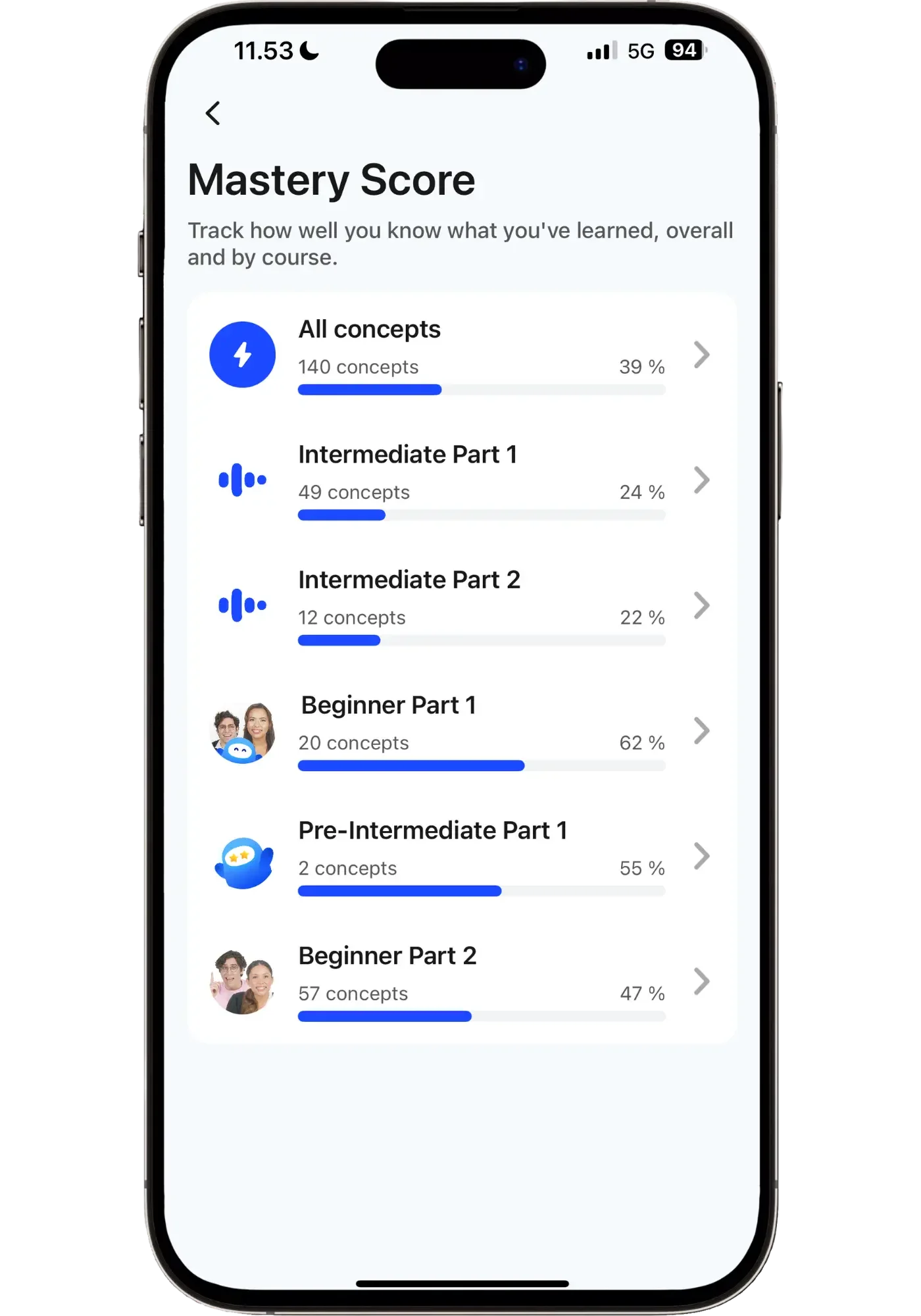
All Spanish concepts I’ve collected so far.

Options for reviewing these concepts.
You can do Smart Review anytime between lessons. It’s virtually the same lesson type as speaking drills, and based on your mastery scores, Speak gives you the ‘concepts’ you need to practice the most first. You pick a session length — 5-25 minutes — and whether you want to drill in ‘speaking mode’ or ‘listening mode’. Then you just follow along. No flashcard decks to build out, no Anki intervals to adjust, no figuring out what you should be practicing. Speak makes that decision for you in a dynamic way.
There's also a Listening Mode, which I appreciate — perfect for when you can't speak out loud: commutes, cafés, or those early mornings when you don't want to wake anyone up. It's one of the things that makes Speak so usable in different environments and on the go.
This way of getting fed sentences with certain structures is similar to an app like Glossika. But in Glossika it’s only spaced repetition — in Speak it's one part of a larger system that's also tracking your concept use across every other activity in the app besides reviewing. The result is a picture of your ability that's much more complete than what a traditional flashcard system can give you.
Pocket AI Tutor
Ever been using a language app (or course) and wished you could just ask a question about what you're learning? I have — constantly. Unlike many beginner apps or courses, Speak builds this in natively.
Speak’s Pocket AI Tutor is a language tutor you can access anywhere in the app. Tap its icon, ask it anything in natural English ("why is it me encanta and not me encanto?" or "is tiene too formal for a market?"), and get a clear, contextual answer. It's like having a bilingual friend who's available 24/7 to patiently clear up all your questions.
Here’s an example from a Spanish drill I did. I was drilling "Me encanta la pasta" — "I love pasta" and was wondering why I wouldn’t say “encanto” since I’m a male, and the AI tutor explained why concisely and clearly:
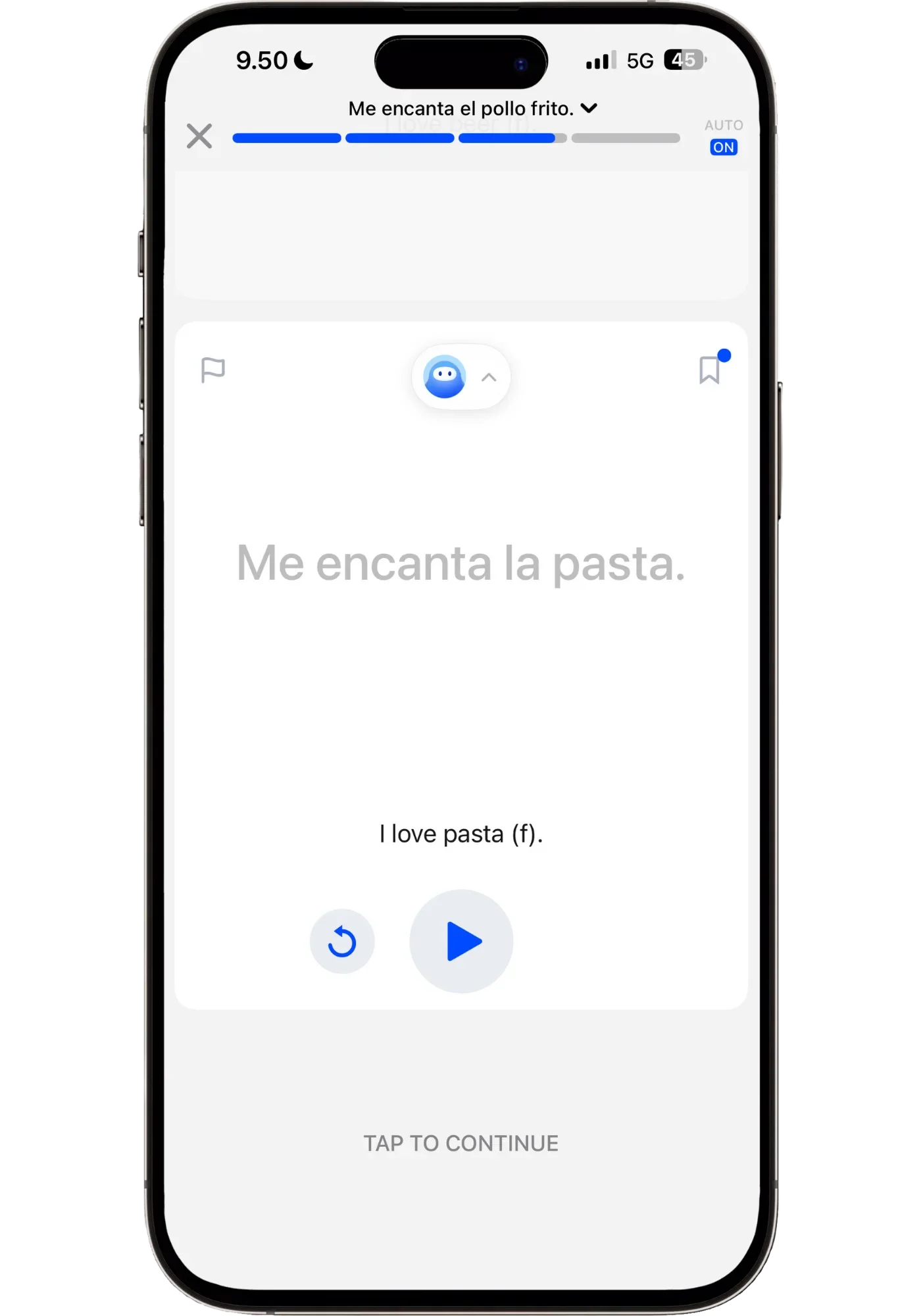
Click the cute icon at the top to bring up Speak’s AI tutor to ask it anything
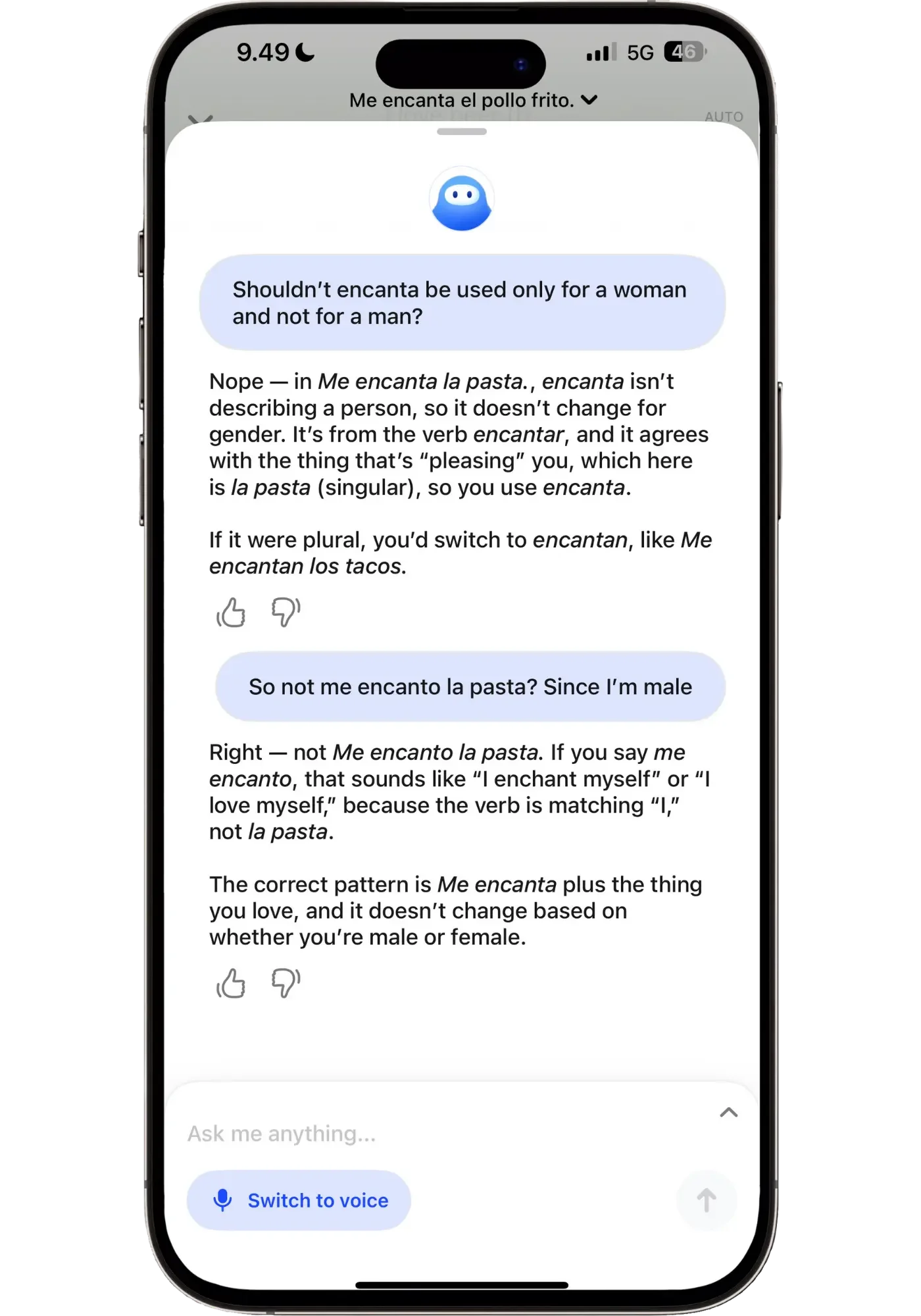
Get quick, clear answers to your grammar and language questions.
When I asked a follow-up question it explained "that would mean 'I love myself'" if I said it like that and explained why. The tutor explained what I asked about clearly without over-explaining. And if needed more, I could just continue asking for clarifications. I much prefer that than getting a long answer with a bunch of information I didn’t ask for.
I also asked if “tiene” or “tienes” was the most appropriate when shopping at markets. While many apps and courses may provide cultural context, they might not explain the exact questions you have, and when you have them. This way, you can get a quick answer about anything you’re learning and move on.
It can also be used outside the lessons to create custom lessons for you (Premium Plus feature) — for example if you struggle with a certain tense or grammar point.
Why not just use ChatGPT?
It’s a reasonable question. The answer: Speak's tutor has context that other chatbots don’t. It knows which lesson you're in, which phrase you're working on, what level you're at, and what Speak's course specifically teaches. When I asked about encanta in the drill, it responded in the context of "Me encanta la pasta" — the exact sentence I was looking at — rather than giving a generic Spanish grammar lesson. And because it's inside the app, you never have to lose your drill progress. You just tap, ask, keep going.
Speak keeps extending where this tutor lives. Being able to ask questions directly inside a drill arrived while I was writing the first version of this review months ago. This month it turned up inside the AI Q&A lessons too — so you can stop mid-conversation, ask why your answer was wrong, and carry straight on. This was actually an important addition, since it stops me getting stuck in the middle of a Q&A. I keep noticing small updates like this, which tells me the team is still very actively working on the app.
Free Talk
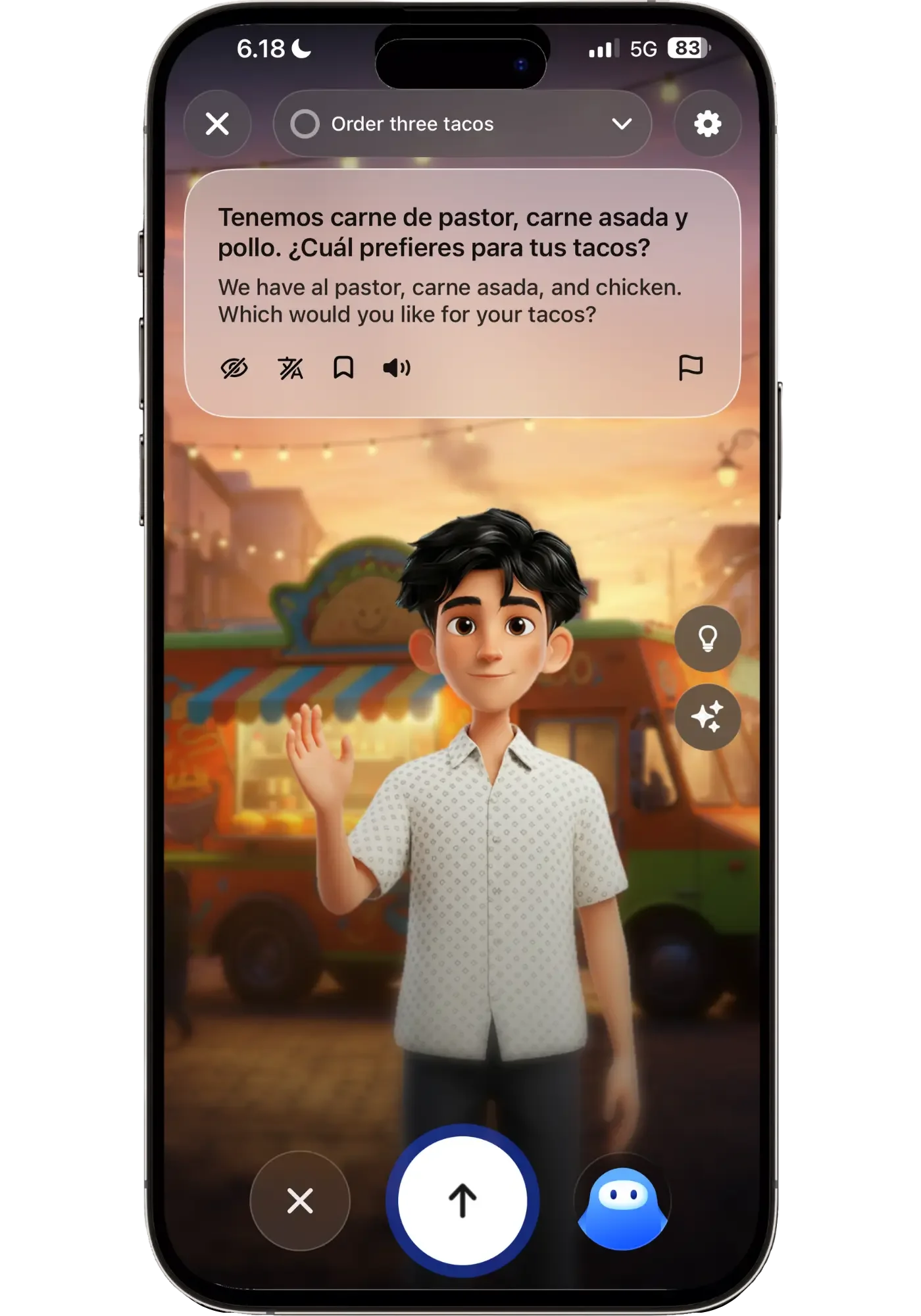
Beyond the Q&A mini convos, Speak also has ‘Free Talk’ — these are more open-ended conversation practice sessions organized around specific scenarios. You pick a topic like "at a coffee shop" or "meeting someone new", and you have a short — 3-5 minute conversation — with the AI. It's much freer than Q&As and roleplays, but still short enough to be very manageable. You have 3 tasks to complete (like “order three tacos”) but these are optional. You can redo them as many times as you want to master that particular scenario.
Free talk have the option to have an avatar with a background. It sets a nice scene, and in Spanish the voice quality is noticeably better than in the shorter Q&A and roleplay exercises.
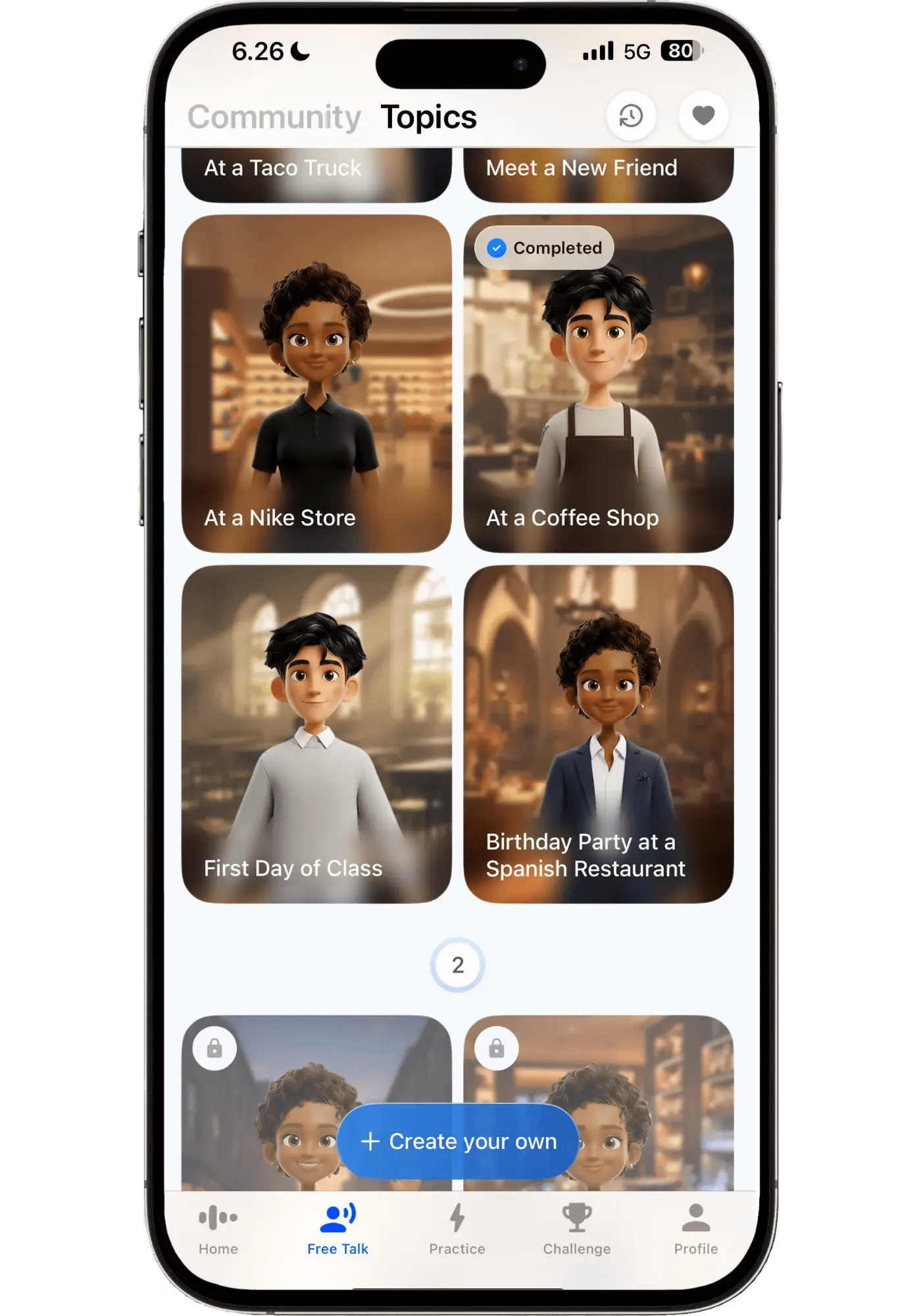
As a complete beginner, Free Talk isn't where you'll spend most of your time — the AI Q&A flow within lessons already stretches you enough. But it's valuable to know this exists, because it's the natural next step once you've built a foundation. There’s something motivating about seeing Free Talks in the app even as a Japanese beginner. It's a kind of visible horizon — a reminder that the phrases I'm drilling today will, in not too long, be things I can actually use in a three-minute conversation.
These chats aren’t perfect though. For example, one time at the taco truck he asked me what I wanted to drink. And when I asked if he had something to recommend he started talking about the different food items on the menu. But when I called him out and said he had asked me about drinks, he said: “oh sorry! You’re right, here are the drink recommendations” which got it back on track.
If you're on Premium Plus, Free Talks feed into Speak's custom lesson generation — mistakes you make during the chat creates an optional lesson. I love this feature. Because it lets you right away zone in on your mistakes — with a short lesson that takes 1-2 minutes. It helps you improve your speaking by correcting the things you were trying to say, which is the most valuable corrections you can get. You can try Free Talk yourself with Speak’s free trial.
Gamification
I’ll admit, I'm slightly competitive. So when I started a new league tier and saw my name sitting near the bottom of the leaderboard, my instinct was exactly what Speak's design hoped it would be: I need to do some lesson to get out of this!
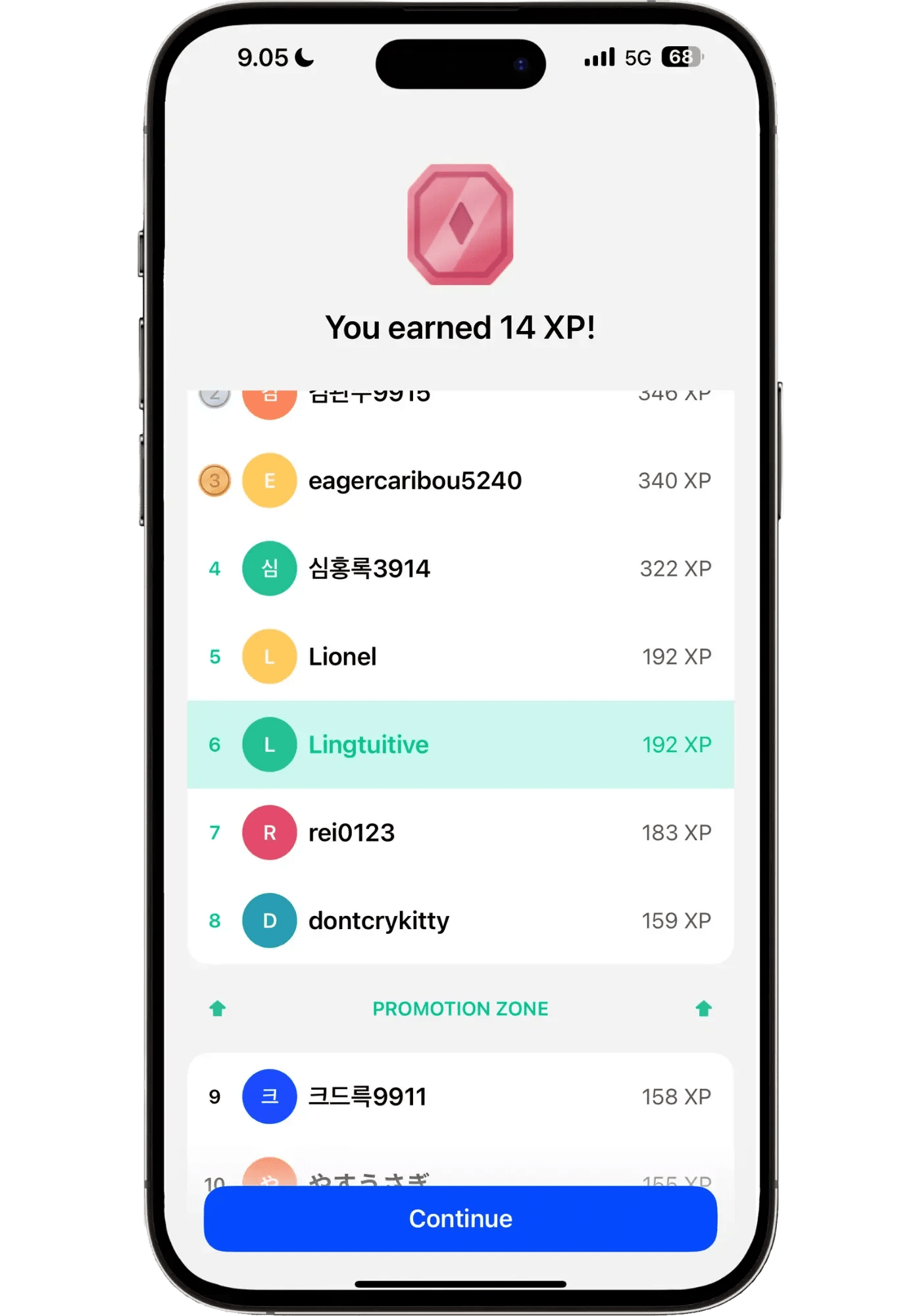
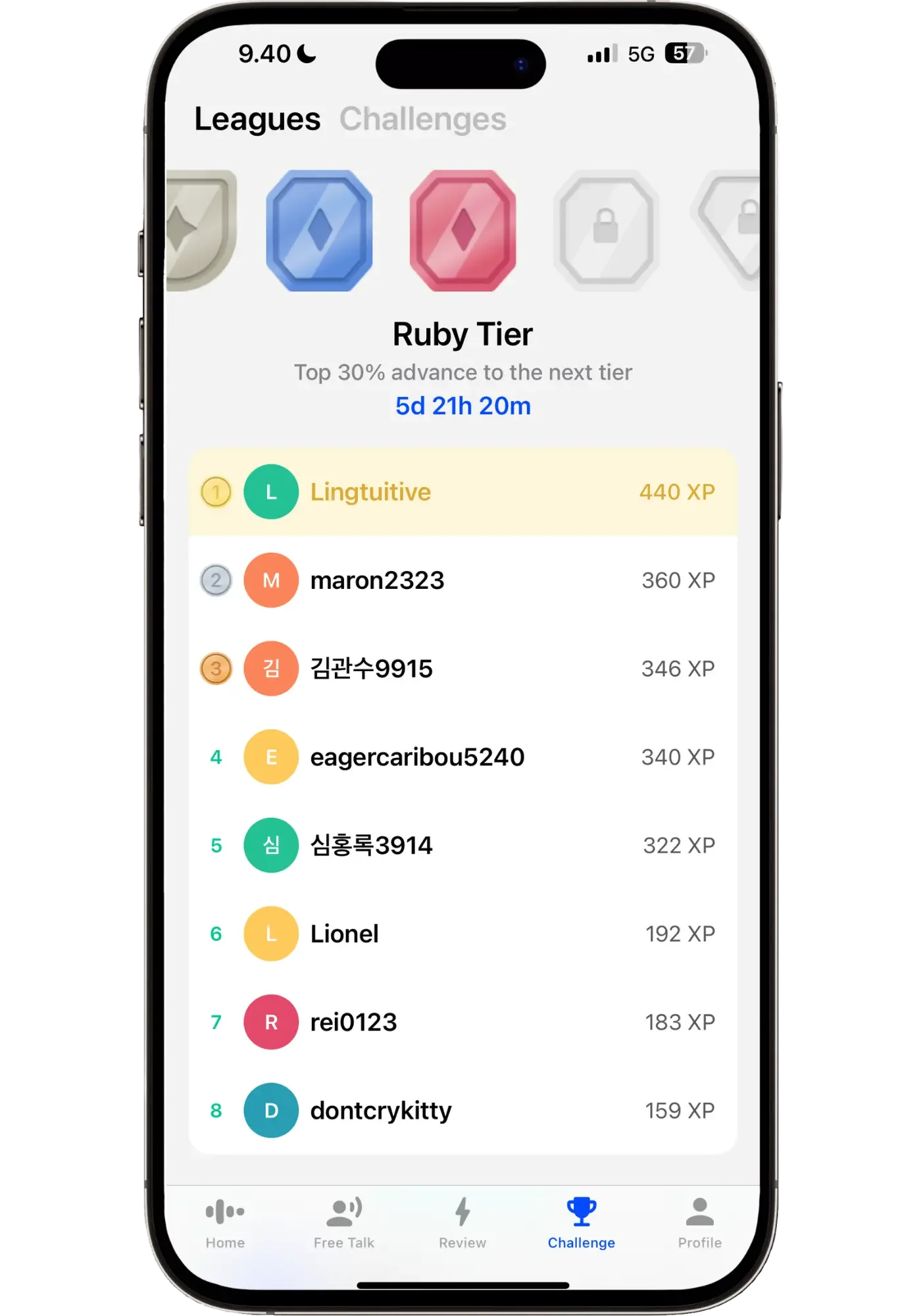
A few lessons later, I was in the promotion zone. A few more after that, I was at the top of the tier. By the end of the day I'd done a dozen lessons without really planning to. That's the right kind of gamification — not for the sake of empty numbers, but that turns "I should practice" into a more fun motivation of "I want to see my rank move."
What I appreciate about Speak's approach to gamification is that every XP point you collect comes from doing something valuable — a lesson, a drill, a review, or a conversation. Things that all move the needle toward fluency. Not just some busywork that rack up the points but don’t improve your language skill.
This part is nothing serious though, and if you’re not competitive it’s easy to ignore. It all sits in a tab you can just skip. But if you are even slightly competitive, it's a useful tailwind. I've done a fair share of language learning over the years without gamification, and I tend to learn faster with it.
My First Week with Japanese — Does Speak Hold up for a Hard Language?
Most of what I've shown so far has been in Spanish — a language that is generally considered one of the easier languages for English speakers to learn because of its shared vocabulary (though still with its challenges). But what about a language that's widely considered one of the hardest ones?
Japanese is about as different from English as a language gets. Unfamiliar writing systems, almost no vocabulary overlap, reversed grammar structure, and the cultural expectations around formality add another layer of complexity. It's notoriously difficult even for experienced polyglots.
I actually have a long history of trying to learn Japanese and not getting far. As a teenager, I attempted it with Rosetta Stone for a week and gave up. About two years ago, I used another app for 10-15 minutes a day over two months — and the experience was mostly frustrating. I was being bombarded with sentences I was expected to force into memory, getting 90% of them wrong, and getting more and more discouraged the deeper I went.
So when I decided to test Speak's Japanese course as a complete beginner, I was genuinely curious — and a little skeptical. Could the same approach that works so well for Spanish hold up for a language as challenging as Japanese?
Day 1 — Speak builds each language course differently.
This was my first real surprise. Speak's Japanese course isn't a copy-paste of the Spanish course with different vocabulary swapped in. The structure is different — more vocabulary repetition, dedicated word-introduction exercises before drilling, and a pacing that takes into account the fact that Japanese words don't sound anything like English ones.
To give you an example, here's what happened in my very first lesson: Speak taught me that the ん (‘n’) in konnichiwa is its own syllable — meant to be emphasized. I've heard this so many times over the years, even said it to myself. I never knew that.
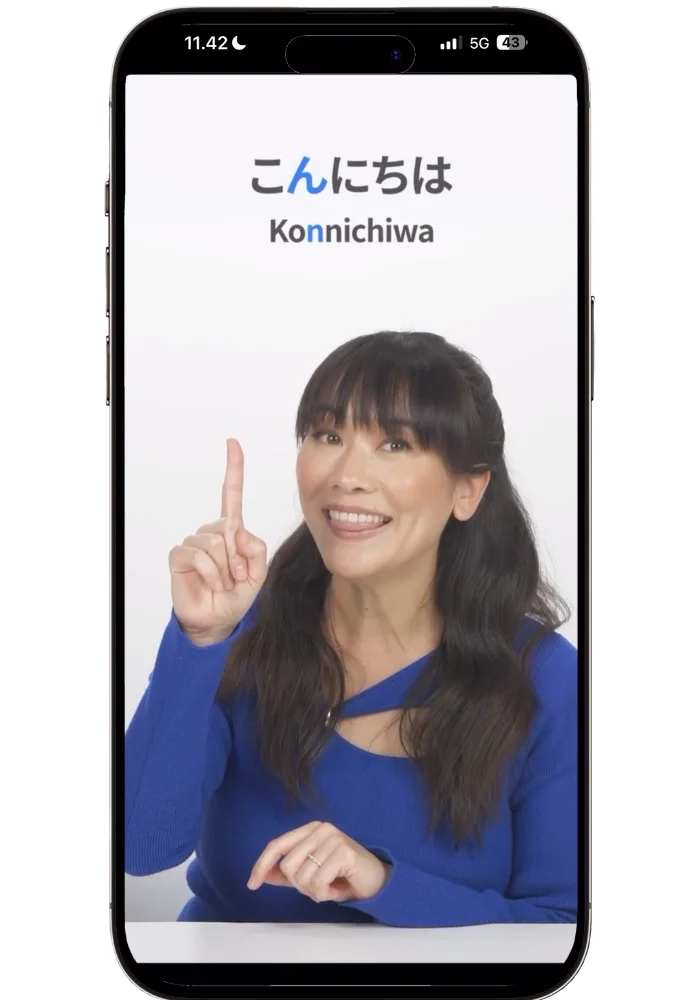
Speak’s Japanese host gives a clear foundation for pronunciation from the get-go.
The lesson went on to teach greetings in both polite and casual forms, then immediately wove them into a conversation exercise. No wasted time, no abstract grammar explanations, just the phrases you'd actually use.
The vocabulary introduction was also handled differently than Spanish. Before drilling new words in sentences, Speak ran a short listening-and-matching exercise where I heard each word and paired it with its meaning. In Spanish, new vocabulary gets woven directly into the speaking drill because cognates make that possible. In Japanese, you need that extra exposure first because the words are completely unfamiliar. It shows that what Speak lacks in number of languages available, it makes up for in course quality.
The practical phrase ordering also stood out. In Spanish, I was learning about how to order from a taco truck. In Japanese, it was learning to ask where the convenience store or shrine is located (can’t wait to get to the lesson on ordering ramen — yum!)
These are exactly the phrases you'd need on a first trip to Japan. Most beginner courses spend their first weeks on extended greetings and self-introductions. Speak teaches you the things you'd actually say to a stranger on a street first.
All of this showed me they had built this course specifically for Japanese — not just translated a Spanish template.
Day 2 — Already improvising using the language.
On day two, something happened that kinda blew my mind. In a Q&A scenario, I needed to ask someone if I could use the chair next to them. Only thing is, I didn’t have the vocabulary to ask that exact question. But the video lesson had taught me the highly useful “ii desu ka” (‘is it okay?’) and the variety of situations that could be used in. And I had also learned “sumimasen” (‘excuse me’) in an earlier lesson. So without being prompted, I combined them: "Sumimasen, ii desu ka?"
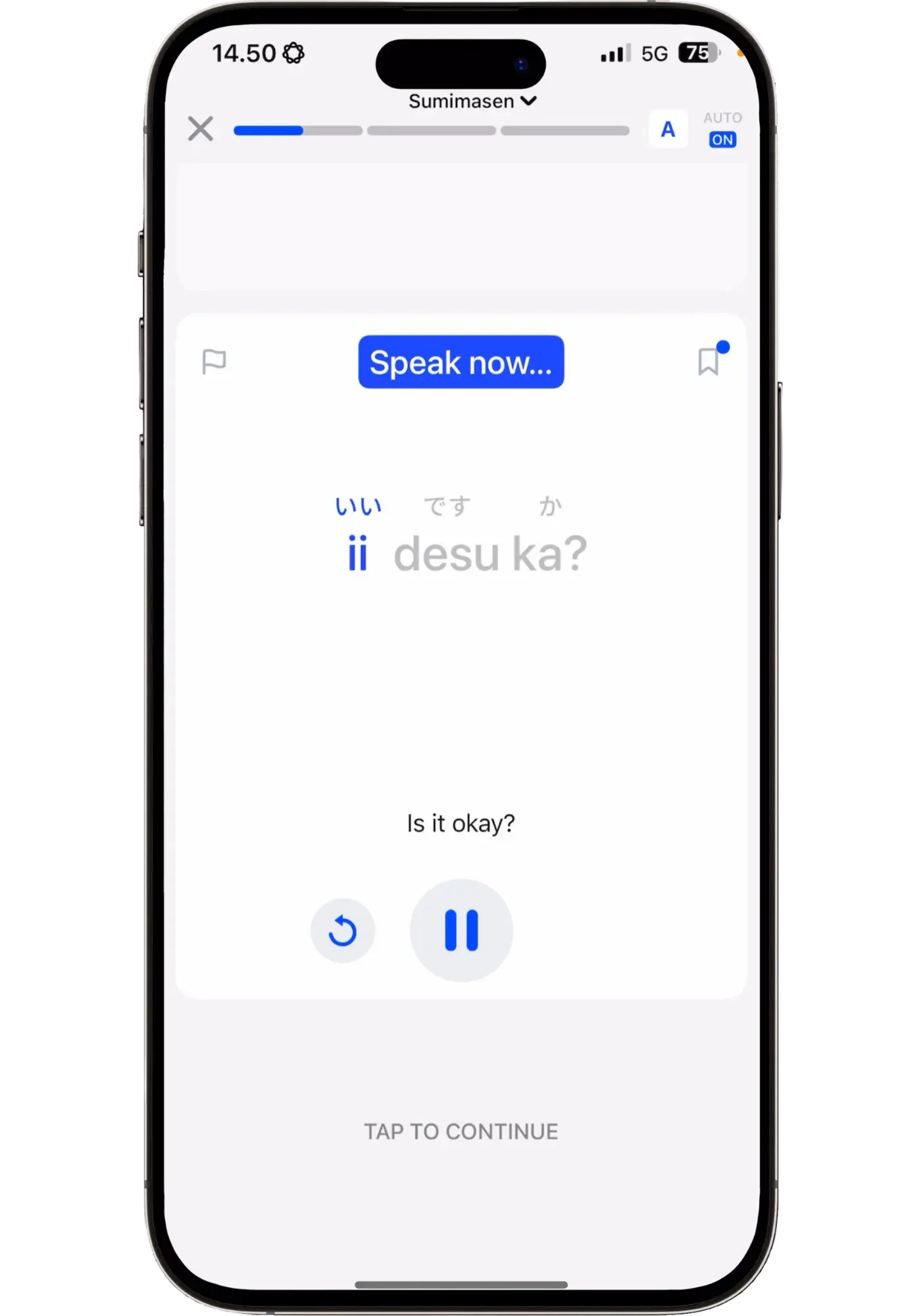

Green checkmark. Correct. It didn’t tell me to add sumimasen. It just felt it was the right thing to say — and it was. The phrase I chose to use was literally the only thing that I’d learned that I could think of that would fit. That's the improvisation in action, in Japanese, on day two, with me having a vocabulary of maybe 10-15 words. Because just like in real life, you have to make those calls on the fly, training me to improvise on the spot.
Day 3 — It’s like the review system knew.
On day three, I was walking around thinking about that “excuse me”-phrase I'd learned and realized I couldn't remember it. I knew it started with an S and ended with something like -masen, but the rest was gone. This is the story of my life in language learning — I sort of vaguely remember a word, but it’s not strong enough that I can confidently use it.
I opened Speak, and the very first thing that came up as a review was ‘sumimasen’ — the exact word I'd been trying to remember. I didn't search for it. I didn't have to find it in a lesson log. The system knew it was due for review, and it was right.
Coincidence? Maybe. But that single moment sold me on their review system more than any feature description could. It's not just tracking what I've learned — it's tracking what I'm about to forget.
Day 4 — Speaking correct Japanese sentences without even trying.
By day four, at the end of a drill, I was now prompted in English to produce a Japanese sentence. From several months of learning Korean, I know how difficult this is. Repeating and mimicking is one thing, accurately producing the language with no help is a different animal. I wasn’t sure I was going to remember any of them. But almost without thinking I just delivered the correct Japanese line. The repetition had worked beyond conscious effort. With the other Japanese app I'd used for two months, I couldn't reliably produce any sentence even after weeks of daily practice — something I usually just accept with beginner content. Here, after four days, I could produce the phrases when I needed to.
I wasn't getting everything right — maybe 80% correct, 20% wrong. But that ratio felt perfect. The things I got right gave me confidence. The things I got wrong told me exactly what I needed more practice on. And it never felt demoralizing. Compare that to the other app where I was getting 80-90% wrong, pressing "don't know" over and over — which becomes discouraging quick.
Update (July 2026): Those first four days turned into 90. I kept it going daily for three months — here's the whole journey, including what I could actually say in Japanese by the end, where Speak fell short, and a 3-minute video condensing the streak. For an earlier checkpoint, my 30-day review covers the first month.
Because here’s the thing: not every language has to be learned to fluency. And Speak even helped me realize that. Maybe you just want survival Japanese for a two-week trip — asking for directions and shopping at a convenience store. Maybe you just want enough to order sushi at your local joint.
And for me, Speak is honestly the best travel-prep-from-zero language tool I've ever used. If I were going to Italy in three weeks, I'd use Speak. If I were going to Japan in three weeks, I’d do the same. The path is already laid out. I just follow it. And that's the impressive part: after four days of Japanese — under an hour in the app in total — I already had useful vocabulary I could use on the streets in Japan.
If you want to see the path for yourself, the 7-day free trial is the easiest way to experience it.
Pricing and Fit
This section answers two important questions: Which plan do you actually need? And when is Speak the wrong choice?
Premium vs Premium Plus — Which Plan Should You Get?
Speak offers two tiers, both annual-only (no monthly plans), both with a 7-day free trial:
Premium: $83.99/year (~$6.99/month)
Premium Plus: $164.99/year (~$13.74/month)
Both plans give you the full Speak curriculum, Smart Review, Free Talk, Roleplay, and access to the Pocket AI Tutor.
What Premium Plus adds: It unlocks unlimited custom lessons that target your personal weak points — based on your mistakes in Free Talks and Roleplays. It also gives you a personalized study plan and removes limits on how many tutor-generated lessons you can create. Essentially, Premium is a great course. Premium Plus turns that course into a personal tutor that learns where you struggle and builds practice around it. It basically makes Speak adapt to you on a different level.
Worth noting: Premium isn't a watered down version of the app. You still get up to 3 custom lessons per day and mistake feedback. That’s plenty when you're working through the structured path as a complete beginner.
Speak keeps adding to the courses. Every time I've gotten close to the end of the Spanish path, new units have appeared. That matters more than it sounds, because the question anyone has before paying for a year is whether they'll run out of content halfway through. Seven months of heavy daily use later, I haven't.
My honest recommendation: start with Premium. It's more than enough for a beginner, and you won't necessarily feel like you're missing anything for probably the first several months. However, if after a while, you find yourself wanting more personalized practice — specifically, targeted lessons on the things you keep getting wrong and vocab that’s more in line with your interests — that's the moment to upgrade, which you can do at any point.
Both tiers include the 7-day free trial — start with Premium and see for yourself:
When Speak Isn't the Right Fit
No app is for everyone. Here's where Speak won't be the right choice:
If your learning philosophy is different. Speak pushes you to produce language from day one. If you're committed to an input-first approach (Refold, AJATT, Dreaming Spanish) where you build comprehension before speaking, Speak won’t feel right. If your goal is reading or writing rather than conversation, Speak isn't built for that either. And if you prefer maximum freedom over structure, Langua's beginner course offers a more open-ended experience in lessons and conversations — I've compared both directly here.
If your language isn't supported. Speak currently offers seven languages: English, Spanish, French, Japanese, Korean, Italian, and Chinese (Mandarin). Two more — German and Portuguese — have been listed as coming soon for as long as I've been using the app, and they still are. Mandarin, on the other hand, appeared one day with no announcement at all. That limited selection is part of why each course is so polished — but it's still a real limitation if your language isn't on the list.
If you need manual vocabulary control. Speak handles spaced repetition automatically through Smart Review, which works really well, and you can look up individual words. But there's no way to save individual words or build your own flashcard deck (you can only save complete Lines — i.e. whole sentences). If creating your own review system is important to you, you'll want to supplement with something like Anki.
If you dislike repetitive practice. Speak is built around heavy production practice — you'll say variations of learned phrases dozens of times across different contexts. It's extremely effective, but if you already know you can't stand any type of drilling, Speak's method probably won't change your mind, even though it does a good job at mixing things up.
If Speak doesn't sound like the right fit, I've tested and reviewed several other beginner apps and courses — here's my full comparison: 5 Best Beginner Spanish Apps & Courses
Conclusion
If you’ve made it this far, you're probably in Speak's sweet spot: a beginner who wants to start speaking early, build confidence through structured practice, and prepare for real conversations. For that type of learner, I haven't found a better tool.
I've used Pimsleur, Pod101, Rocket Languages, Language Transfer, and more. They all work. But Speak is the first beginner app that solved several problems — the gap between recognizing a phrase and actually being able to use it, remembering all the vocabulary you’re learning without having to manually save anything, and having a clear path A→ B that you just follow — that actually works.
After 209 days across Spanish, Japanese, Korean, and Mandarin, I'm confident enough in what this app does to put it at the top of my beginner recommendations. Never before have I used a beginner app that not only has such a thoughtfully designed structure and progression, but that at the same time adapts to you — that’s a powerful combination.
So if I was starting a new language from scratch today, Speak is what I'd use no doubt. The only exception would be if my target language wasn't available.
I've been using Speak for Korean since May too, and that's where I'd add a caveat. The early units were excellent, and the Korean teacher might be my favorite in the whole app. But it's the weakest of the courses I've used (I'm not deep enough into Mandarin to judge that one yet). The difficulty scales faster than it does in Spanish or Japanese, and it left me with gaps: there were basic things I never learned to say. I'd still use it, and I'm glad I have. Just go in knowing you'll have to fill in a few holes yourself.
I've even been picking up Mandarin on the side — not daily, just here and there when I've felt like it. That's worth saying, because I wouldn't be casually learning Mandarin with any other app right now. There's nothing to set up, nothing to decide, no session to plan. I open it, tap the next lesson, and five minutes later I've learned something. It's the same thing that happened with Japanese: Speak is the only app that's ever made one of the hardest languages for an English speaker feel like something I could do for fun.
You've now seen what Speak looks like from the inside — the lesson flow, the review system, the Pocket AI Tutor, gamification, the variation across languages. The best way to know if it's right for you is to try it. Speak offers a 7-day free trial, and they'll remind you two days before it ends so you're not surprised by a charge. If it clicks, great. If it doesn't, then no harm done. But if you want to start speaking as fast as possible, I think you’re gonna love it.
