Published
This post contains affiliate links. If you buy through one of them, I may earn a commission at no extra cost to you. See Full Affiliate Disclaimer.
Table of Contents
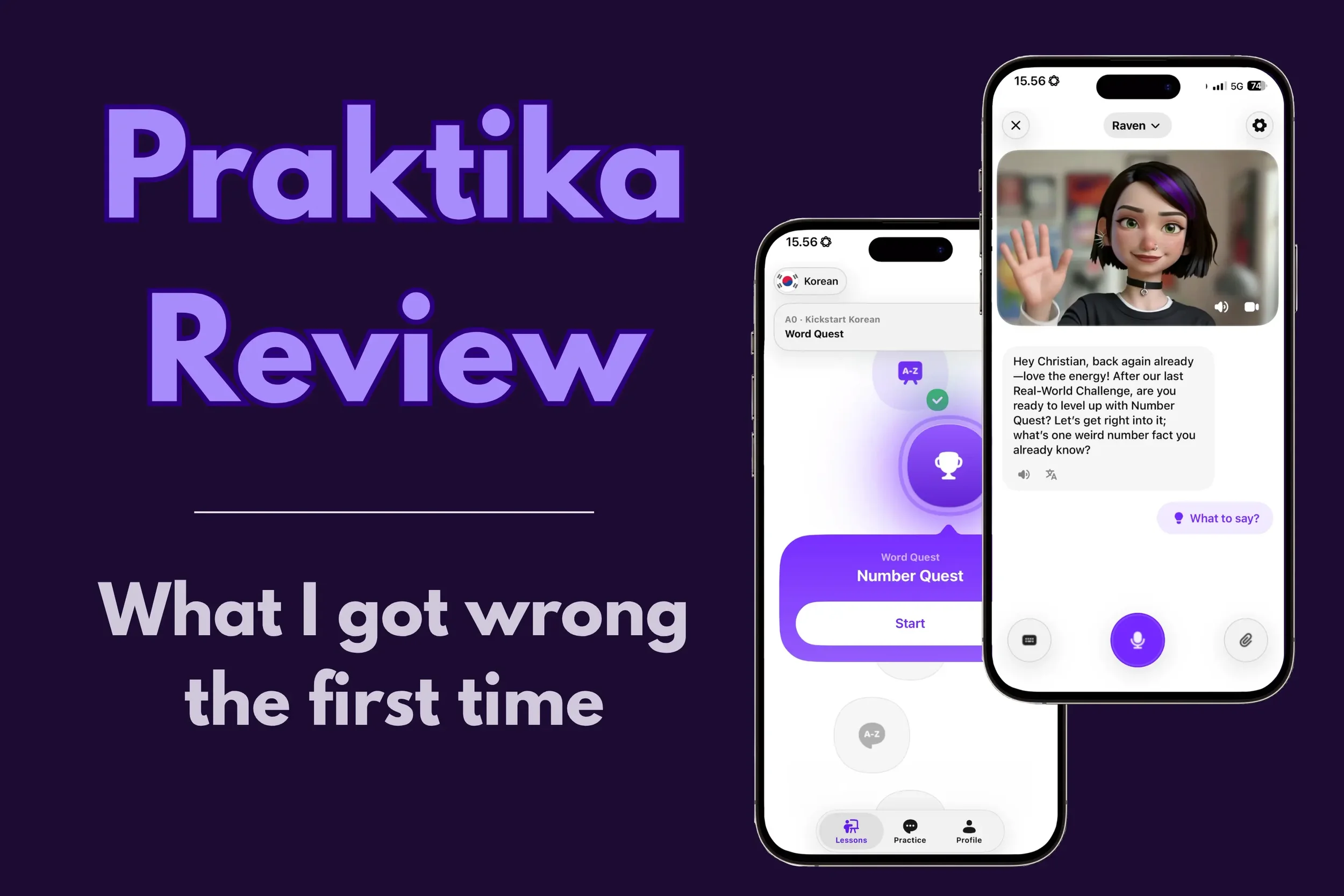
I assumed Praktika was just another AI speaking app — you open it, talk, get feedback, practice. The only obvious difference, I thought, was that you speak to an animated avatar instead of a voice with a small picture.
That's where I was wrong.
You can have free chats, but Praktika isn't mainly a chatbot you have conversations with. It's an AI lessons app — a curriculum that gives you a creative lesson every day, teaching you the language in an interactive and more customized way than a set course would, with speaking at the center of it.
I also came in expecting the cartoonish avatars to feel awkward, and came out thinking it's one of the app's main strengths. It changes the whole feel of using the app, which some people will love and others won't.
I first tried Praktika almost six months ago while testing AI speaking apps for my Best AI Speaking Apps roundup. It was one of five that made the cut out of everything I tried, and it impressed me more than I expected.
The lessons were engaging, light, sometimes even funny. And there was a continuity that I got by talking to the same AI teacher every day that I haven’t found anywhere else to the same degree.
Since then I've used it in three separate stretches, adding up to more than 50 lessons across Spanish and Korean.
Worth saying up front: I aim to give as unbiased reviews as I can, but we’re all a product of our experiences so far. I've used Langua for two years and it's my reference point for what an AI app should be — and it took me a while to notice it was distorting how I judged Praktika.
What we’ll go through: what Praktika actually is, how it works, what it's like as a complete beginner in Korean and as an upper intermediate in Spanish, who it suits, who should skip it, and what it costs. Both language sections include a video from one of my own lessons, so you can hear the voices and see exactly what a session actually looks like at each level.
The short version
Praktika is an AI lessons app, not just a conversation app — and once I understood that, I liked it a lot. I've used it across Spanish and Korean over the past almost six months, more than 50 lessons in total.
- Best for
- People who want a lesson prepared and waiting, from a tutor with a consistent personality — rather than a blank screen and "what shall we talk about today?"
- Not for
- Anyone who wants a conversation partner rather than a teacher, or who wants an efficient way to review saved vocabulary.
- Price
- Currently 50% off through my link. See what Praktika costs for how free trials and the discount work.
What Praktika actually is (and what it isn't)
Apps like Praktika add features fast — several things changed while I was testing, and some updates arrive with no announcement at all. You may find things in the app that aren't covered here, and I'll keep this updated as they come. What won't go out of date is what the experience is like using it.
The best way to explain Praktika is by what it isn't. It's not a chatbot with an animated face on it. It's a curriculum, in a conversation format — and the default isn't an open chat, it's a lesson that's already been planned for you. An activity with a goal and an end, with flexibility within that.
That's the distinction that took me several months to understand.
Some lessons are about the language directly — a grammar quiz, hunting for words in a text. Others use the language as a vehicle to learn something, like speed reading. It’s an interactive language course based on AI. You show up, you get taught, and then you're immediately made to use it.
How Praktika works
There are two main things you can do in the app: work through a lesson on your path, or have a free chat on a topic you pick.
The lesson path
When you sign up you go through an onboarding — which is the most thorough I've seen in any AI app — and it generates a path of lessons for you. The most important choice is your reason for learning. Pick travel and you'll get things like restaurants, airports, checking in. Pick personal development and you'll get lessons about that instead. You also choose areas of interest, which are actually quite important for your experience. I'll come back to why in the Spanish section, because getting it wrong cost me a few weeks.
That said, the path can be updated mid-way and as a beginner it matters less since you’re still getting the basics down. Topic customization comes more into play the more advanced you get.
The path is organized in what you could call units — a theme holding a batch of lessons. If you’re a beginner it might be "everyday essentials." As an intermediate it might be "pop culture and media”, or whatever you picked as an interest. There are roughly twenty lessons inside a theme before it moves on. Within that, there are three or four focusing on one aspect: "grammar unlocked," "listen and catch," "word quest,” to give some examples.
You can do the lessons in order, or jump around.
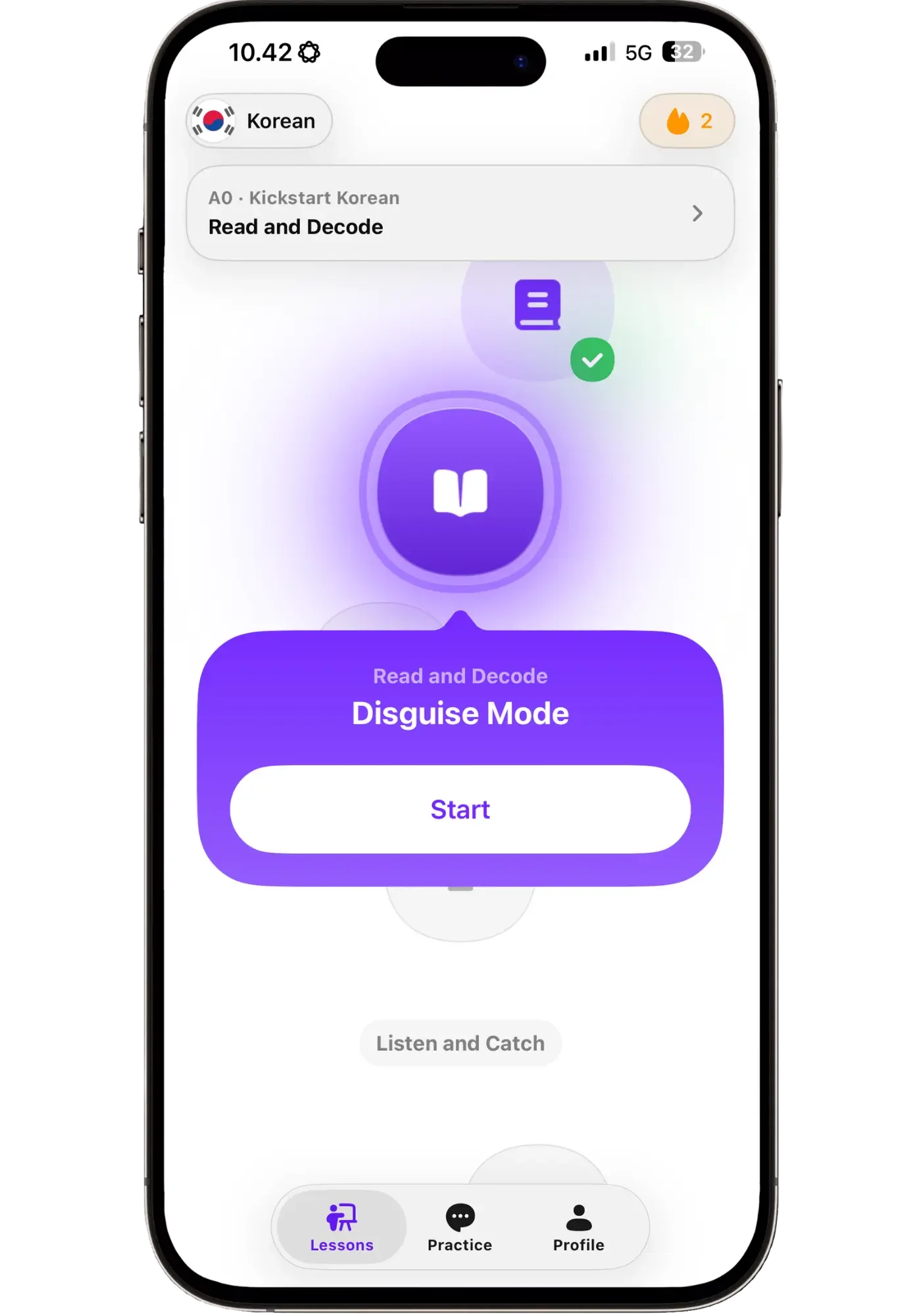
A0 in Korean. One done, one open, more waiting.
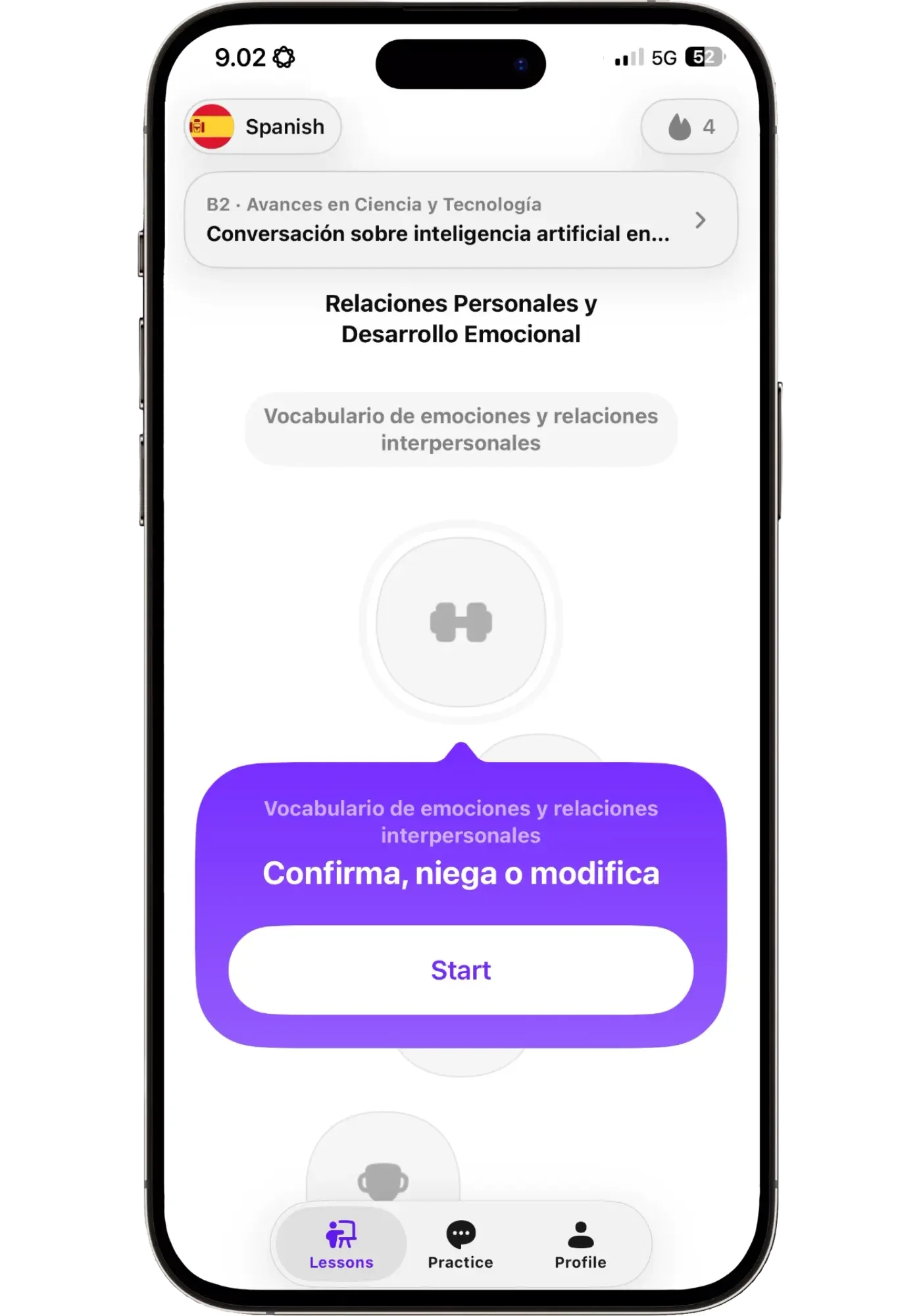
B2 in Spanish — same structure, but more advanced topics and lessons.
How a lesson is structured
Lessons will bring in something to work with — a short text, an AI audio clip, an interactive quiz in the chat, a mini-game.
It uses the same back-and-forth messaging most AI apps do, but with lower latency than most since each message is split into two or three shorter ones. There’s also hands-free mode if you put the tutor in full screen — messages then send automatically. It works decently well, though sometimes it sends before you're ready — so I prefer manually pressing the button to send messages.
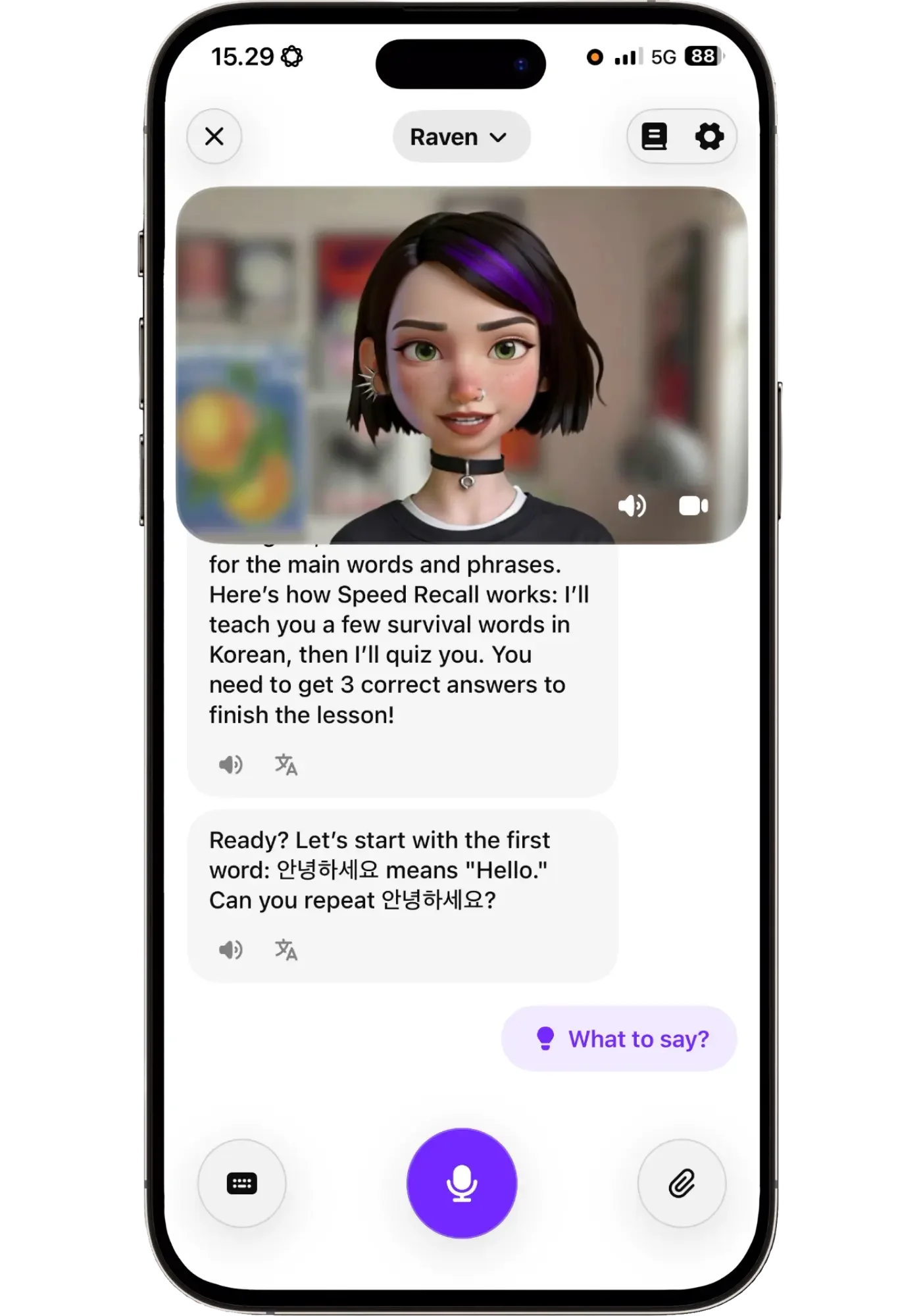
Every lesson opens like this. You know what you're doing and how it ends before you start.
Choosing a tutor
Praktika currently has fifteen tutors. Each has a personality — interests, music taste, food preferences — and they're actually surprisingly consistent.
It just makes sense that Raven names goth and darkwave bands while Noah listens to modern jazz and electronic music. It might sound like a gimmick but it isn't. It gives the lessons personality, and it changes the feel of a lesson depending on who's delivering it.
The newer, more cartoony ones are noticeably better visually. They also vary by language — Raven was much easier to understand in Korean than Tama, but in Spanish Tama was fine — so it's worth trying a few.
You can switch at any time, mid-path or even mid-lesson.
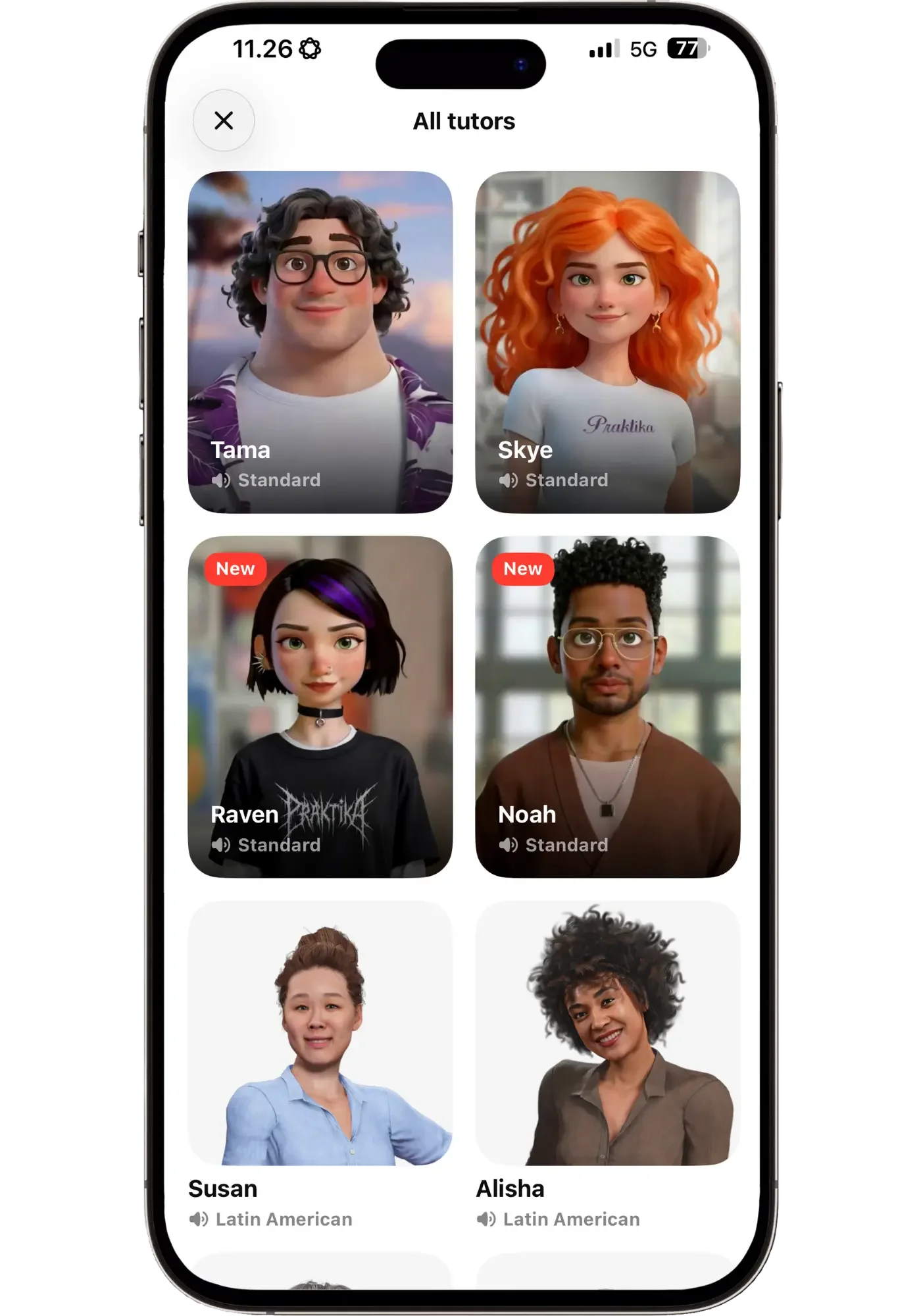
Currently fifteen tutors in total. The cartoon-style ones work the best.
Voice quality
Praktika’s voices are among the best in any AI app, which is one of the things that impressed me — it came out second in my comparison of the top five AI apps. Natural, clear, not robotic, and pleasant to listen to.
Occasionally, words are emphasized oddly, even in English. You’ll hear it here and there in the video clips below.
What Praktika is like as a beginner (Korean)
My previous experience with Praktika was in Spanish, so to get a feel for what it's like as a beginner I tried it in Korean.
So far I've done 15–20 beginner lessons, enough to see a good range of lesson types and to know what it's like using it several days in a row.
Where I was starting from in Korean
Korean isn't a language I'm starting from zero with, but I've got a lot of ground to cover before intermediate. So essentially I'm still a beginner — upper beginner at best.
It's also one of the hardest languages I've learned (along with Cantonese and Finnish), so I wanted to see how the app handles difficult ones.
I have some vocabulary, some grammar, and I can read Hangul decently. What I can't really do is speak. I can repeat sentences with decent flow, but building one myself is hard, and I'm missing the small connecting words that make actual speech possible. So that’s something I wanted to see if Praktika could help me with.
Getting started and finding a tutor
I started at A1, assuming that was the lowest level.
My first lesson was with Tama, and I found his Korean fast and hard to follow. I had used him in Spanish and liked him there — so I learned that the same tutor can work in one language and not another. Same personality, different voice. I switched to Skye, whose Korean was clearer and easier to follow.
Then one day I saw that two new teachers had shipped, so I tried Raven and she became my favorite. Lighter vibe, her face lights up in a big way sometimes, and she'll throw in something unpredictable and quirky. It makes the lessons fun and relaxed while still feeling professional.
You also choose whether the tutor teaches in English or in your target language. I picked Korean at first, thinking I'd just tap translate when I needed it. That got overwhelming fast, so I switched to English and asked her to mix some Korean phrases in.
The tutors also know what time of day it is. Morning lessons open with "good morning," and if you take two in a row she'll say something about it. Small thing, but it's one of the reasons I kept opening the app.
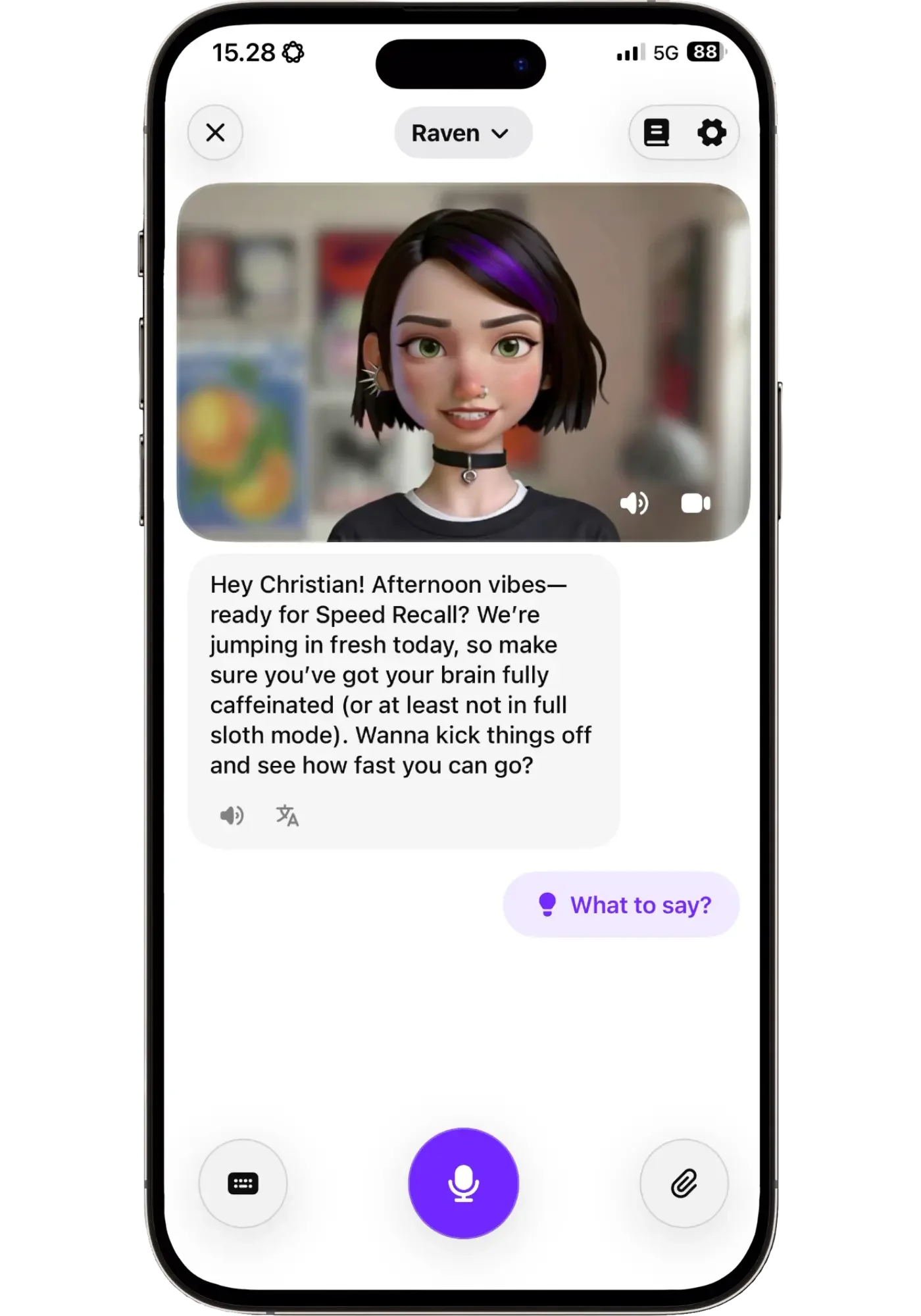
This is how a lesson opens — not "how's your day going," but a named activity with a way to win. She uses my name, clocks the time of day, and the tone is light without being childish.
The importance of YOU steering the lesson
One thing became clear quickly: if I wanted to learn what I needed, I had to be in charge of the lesson. Because while the lessons are flexible, the lesson plan isn’t. You can change what happens inside a lesson, but not what tomorrow’s lesson will be.
So I often told Raven what I needed: Drop the romanization. Let me answer before moving on. Say the sentence you want me to repeat in its own message, so I can easily replay just that part. That kinda thing.
That's not really a criticism. She can't look at my face and see if I’m not getting something, the way a teacher could. If you don't say it, she can’t know.
In one lesson I had a multiple-choice quiz on which of three sentences was correct. She'd ask me to explain my reasoning, but then move on before I had a chance to answer. After a few rounds I said so, along with a couple of other adjustments:

Three requests, said out loud. You don't have to phrase it well — you just have to say it.
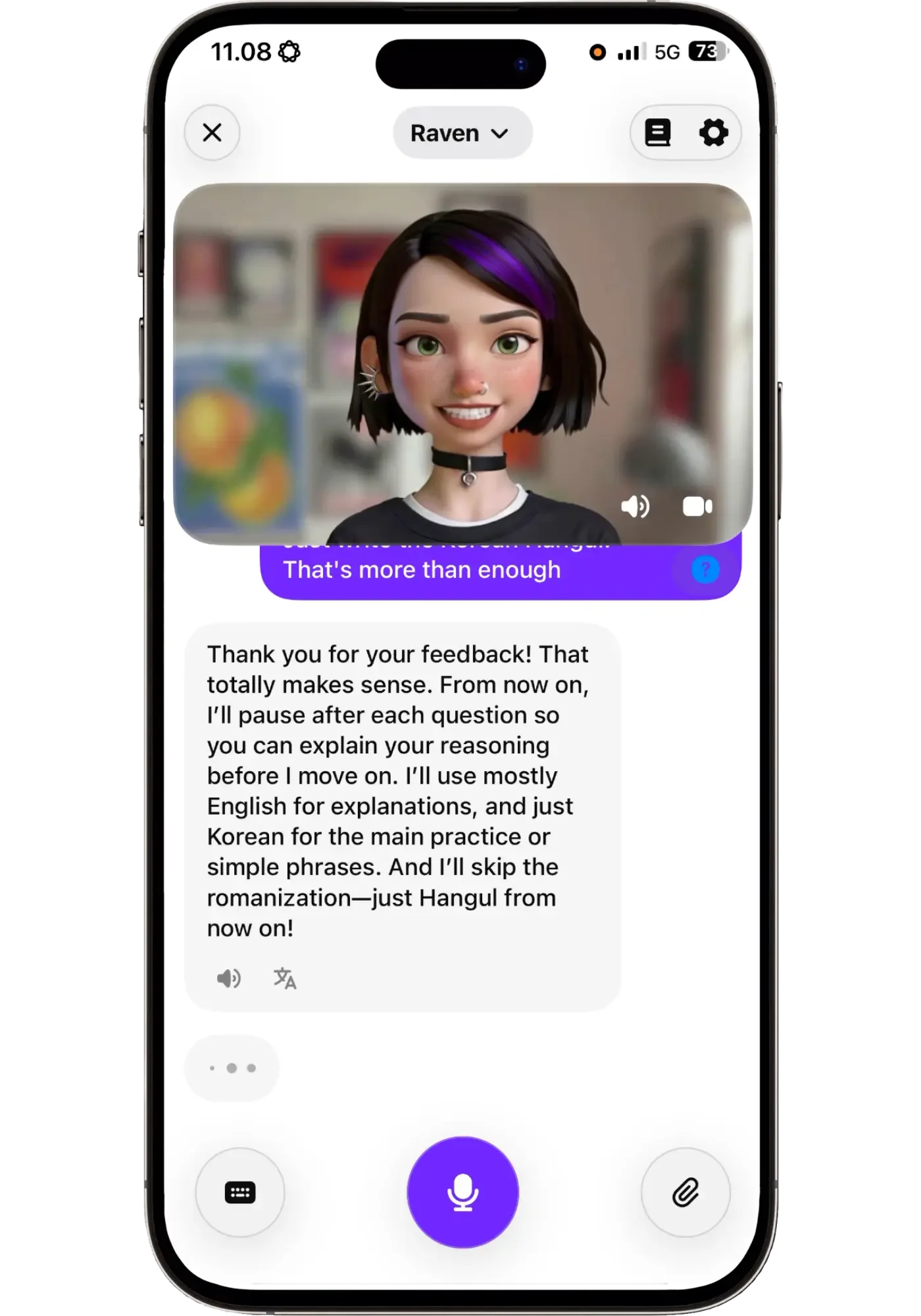
She took all three and adapted to them for the rest of the lesson.
This also applies to pace. She'll ask whether you want to move on, and often I didn't — if I'd just learned a word, I wanted to use it in a sentence first.
One limitation worth knowing: At the end of one lesson I asked Raven, just for fun, what music she listens to. She named some goth and darkwave bands, asked what I listen to, and suggested we weave that into the next lesson. I said that sounded great. She didn't do it — I had to remind her, though she did remember what I meant.
So the tutors hold on to what you've asked for, but the lesson plan doesn't reshape itself around your requests, even when it sounds like it will. What's flexible is what happens inside a lesson.
Learning things as they come up
The best parts of these lessons were the rabbit trails.
We were doing an activity where she asked where I'm from and where I live. I'm Swedish but I live in Finland, so I needed a word for "but" — a sentence I'd wanted to say for months without knowing how. I tried 하고 (hago), and she explained that it means "and" but mainly joins nouns. What I needed was 근데 (geunde), which is closer to "but" or "however."
Another time she asked whether I like Swedish food. I said yes — but I wanted to say that I like Korean food more, and I didn't know how. So I said the part I knew in Korean and the part I didn’t in English. She gave me 한국 음식을 더 좋아해요 (hanguk eumsigeul deo joahaeyo) “I like Korean food more” back.
This is exactly where an AI app becomes the most useful. You try something, you get it wrong, and you find out what to say instead. A course would have taught me those connectors eventually, but in the order of the program rather than when I was the most curious to learn it.
A memorable lesson moment was when she asked if I had a photo of something I like doing, to use for the lesson. I uploaded a picture of myself looking out over Victoria Peak in Hong Kong from years ago, and within a few seconds she used it to teach useful phrases: 저는 여행을 좋아해요 (jeoneun yeohaengeul joahaeyo), "I like traveling," and 저는 홍콩에 갔어요 (jeoneun hongkong-e gasseoyo), "I went to Hong Kong."
I'd opened the lesson to practice self-introductions and came out able to talk, though very simply, about a trip dear to my heart I took years ago, from a photo on my own phone.
Watch part of my Korean beginner lesson
Here's a few minutes from one of my actual lessons, so you get a bit of a picture of what this looks like in action.
It starts with me steering the lesson to suit what I needed, and then learning to say “blog” instead of “blogger”.
I asked her to drop the explanations and just ask me one question at a time, so we could have a simple back and forth based on the things we had been going through in the lesson:
If that's the kind of lesson you’d like to have, my link currently takes 50% off.
When the AI gets things wrong
The AI gets things wrong at times, while still being confident that it is right.
The clearest example came when we were talking about StarCraft, which is a huge e-sport in South Korea. I mentioned a phrase I had heard Korean commentators shout — "ee han timing!" wondering what that first part meant. Raven asked me to send a video clip where it was said. I did, and she came straight back saying she'd watched it, and that the phrase was a shoutout to a famous commentator named 이한섭 (Lee Han-seop), known for his hype casting.
It was completely made up. There's no such commentator — I checked. 이 한 타이밍 (ee han taiming) means "this one timing," and it's a well-known term for a critical window in a match. At first I was impressed she'd watched the video, then suspected she'd just read the comments. She'd done neither. Luckily, I knew StarCraft well enough to be suspicious.
This happens in other apps too, so it's not a Praktika problem specifically. It happens with human teachers too. I've had experienced teachers explain a word in a way that only made sense years later, when I knew enough to see it had been slightly off, most likely due to a misunderstanding or just using the wrong English word to define it. AI slips more often and more strangely, and it doesn't necessarily admit to not knowing something the way a person usually would.
What it means is that you shouldn’t go around second-guessing everything. It gets things right the vast majority of the time. And even if you learn something wrong now it’s not a disaster — you can unlearn it later. It just means that when something feels off, trust that. Ask a follow-up instead of talking yourself out of the feeling.
Then I dropped to A0 to see what a true beginner gets
After a bunch of A1 lessons, one asked me to scan a Korean text for information — which requires reading Hangul, and nothing in the app had taught me that. I can read Hangul, but it made me wonder whether the app was too steep for someone starting from zero.
I then realized A1 wasn't the lowest level. There's an A0 below it! So I went down to see what starting as a complete beginner would be like.
The first A0 lesson was called Speed Recall. She taught me five survival words, said she'd quiz me, and told me I needed three out of five right to finish.
That’s an approachable format for a learner. Things get overwhelming when learning feels like an endless ocean with no horizon. Instead, it’s “we’re focusing on this one thing today”. The lessons are more small plots of land that you sail between, each with a specific task you finish. If you want more, you can stay or go to the next lesson.
I liked how the vocabulary was framed for complete beginners too. At that stage, you’ve learned five words but can’t build a full sentence yet. She asked what I'd say to find a restroom, and just saying "restroom?" gets the point across to a native speaker. I sometimes get stuck thinking I need the whole phrase, but I liked this “survival approach” and it was a good reminder of how to make use of the little you have.
I was enjoying myself so much on my first day of A0 that I did several lessons in a row.
The third lesson was about numbers, which are one of the most boring things to learn in any language. Praktika skipped the usual approach of going from one to ten. Instead, it taught 영 (yeong, zero), 하나 (hana, one), 넷 (net, four) and 다섯 (daseot, five). I said them after Raven, then she turned it into a game: she says a number, I say what comes next, then the same in reverse.
I got curious about why we did it this way, so I asked.
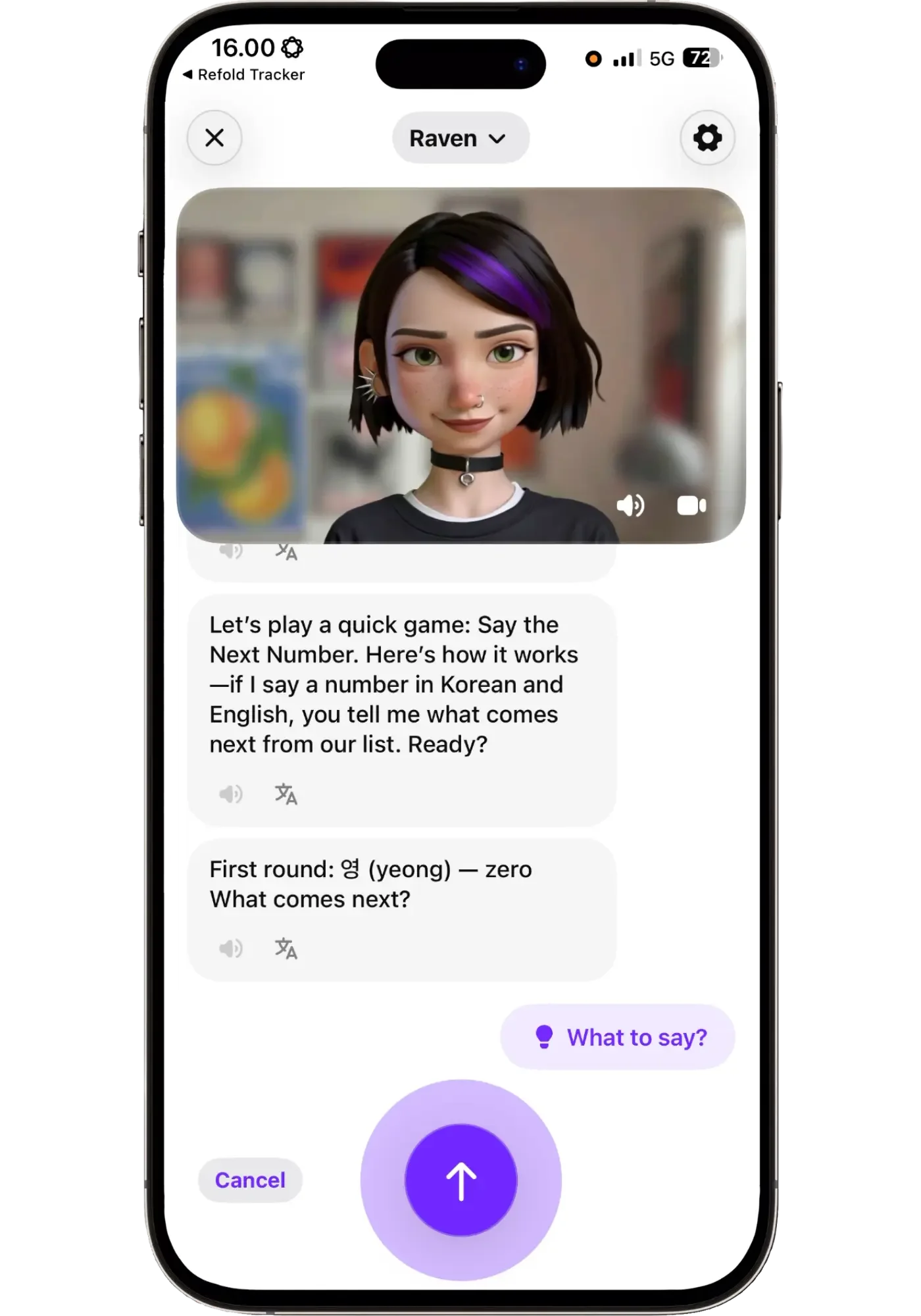
This creative way of learning numbers made them stick better.
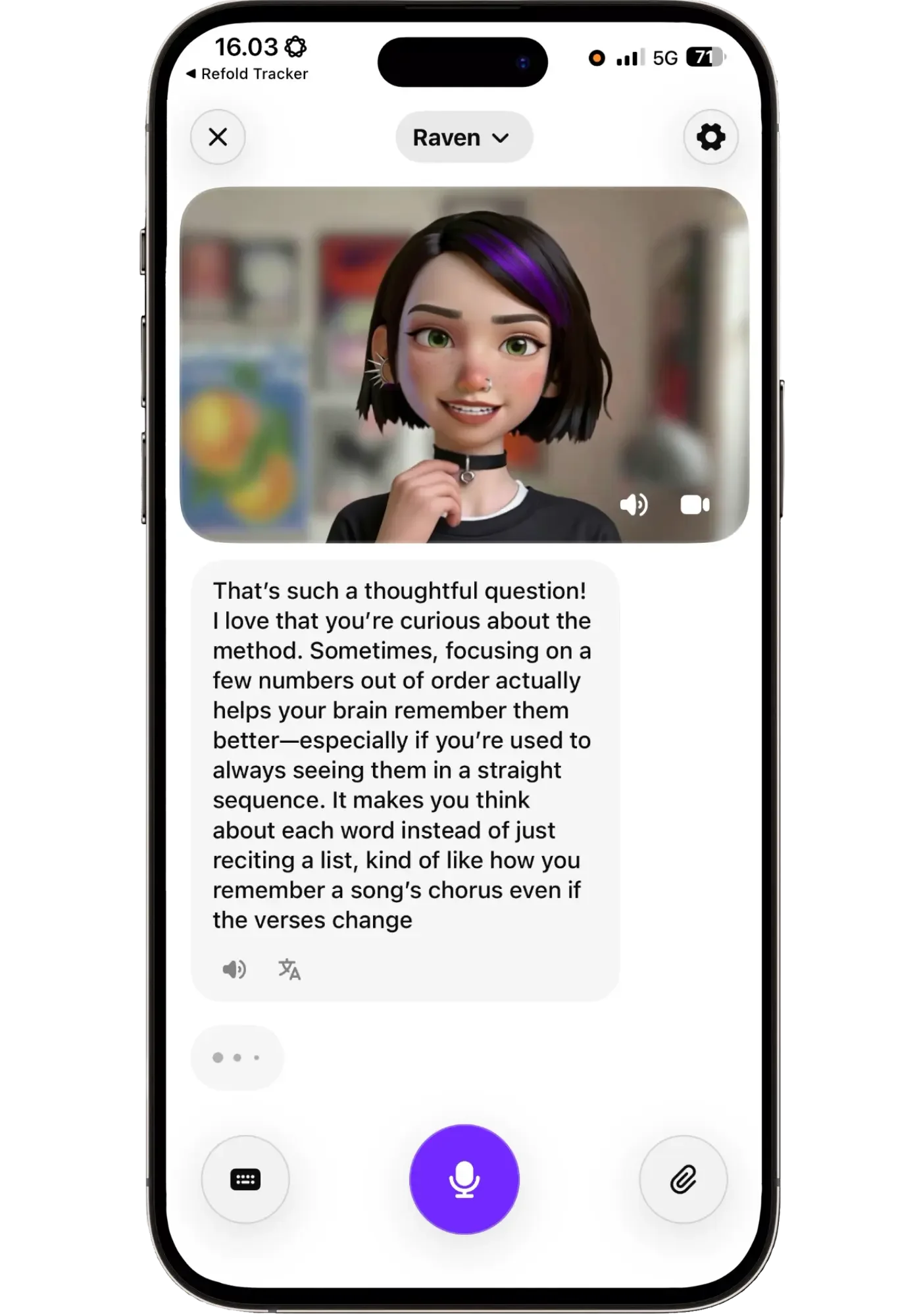
Raven explaining the methodology of this out-of-sequence way of learning numbers.
Her answer made sense and matched what I'd just experienced. Turning it into a game meant I had to think about each number rather than just recite a list. And in real life you never need numbers in order — they need to come immediately when saying dates, prices, and so on.
I’ve gone through them in courses but they have never truly stuck, since I haven’t really worked on them. Now I felt like they started to, and I had fun in the process.
After that came “the blogger sequence”, which is in the video above. I said 블로그 (beullogeu, blog) when I meant 블로거 (beullogeo, blogger), she corrected me, I tapped the word to hear it, said it again, and got 완벽해요 (wanbyeoghaeyo, it’s perfect).
Two minutes earlier I couldn't say it, or said it incorrectly. I learned the word for blogger because that's what I do, not because a course decided I should.
Praktika works well as an interactive way to learn a language — closer to a course you talk your way through than a conversation app. If you want to try it, my link takes 50% off. See what it costs for how the discount and the app store trial compare.
Using Praktika at upper intermediate (Spanish)
I've used Spanish in Praktika on and off for the past almost six months, and tried several of their tutors — Dwayne, Camila, Skye and Tama.
More recently I decided to try Noah, one of the new ones. Partly to mix things up, and partly to see how a different tutor changes the feel of the app compared to Raven.
Where I'm at in Spanish
In Spanish, I’m at a very different level than Korean. I’ve been learning for four and half years and I’m conversational enough to have friendships entirely in Spanish. So somewhere around upper intermediate.
My comprehension is in good shape, so I’m now working on sharpening my speaking — expressing myself more accurately, cleaning up mistakes, improving flow, as well as pronunciation.
I set the lessons to be purely in Spanish, and rarely needed the translation button except for the occasional word.
Changing my goal changed the whole experience
It took me a while to realize how much your reason for learning dictates what you get. I had picked "travel" for Spanish.
What I got was weeks of restaurant vocabulary. Somewhat interesting, but I wanted rather to express my thoughts and opinions on everyday topics, not describe how a traditional Spanish dish is prepared. The lessons themselves were varied — the subject matter got repetitive.
So I switched my goal to "personal development," and this time I was careful to pick only interests I wanted to chat about. So if you're not finding the lessons interesting, it probably means they aren't aligned with your interests rather than that the app is boring.
Spend five minutes getting it right at signup, and don't be afraid to switch to something else later. The path just updates and you just continue along.
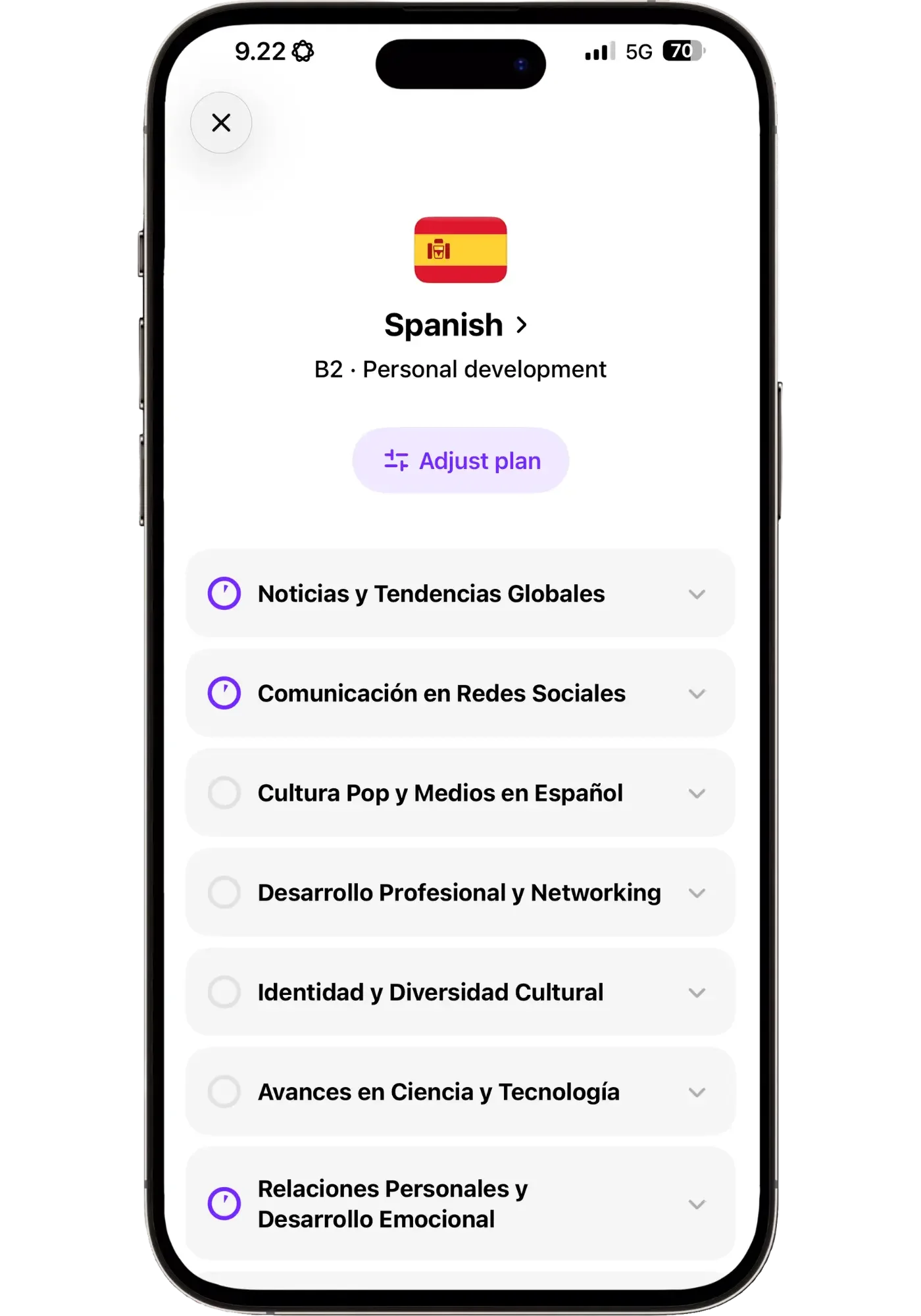
I picked “travel” first and got weeks of restaurant vocabulary. Switching to “personal development” made it more interesting.
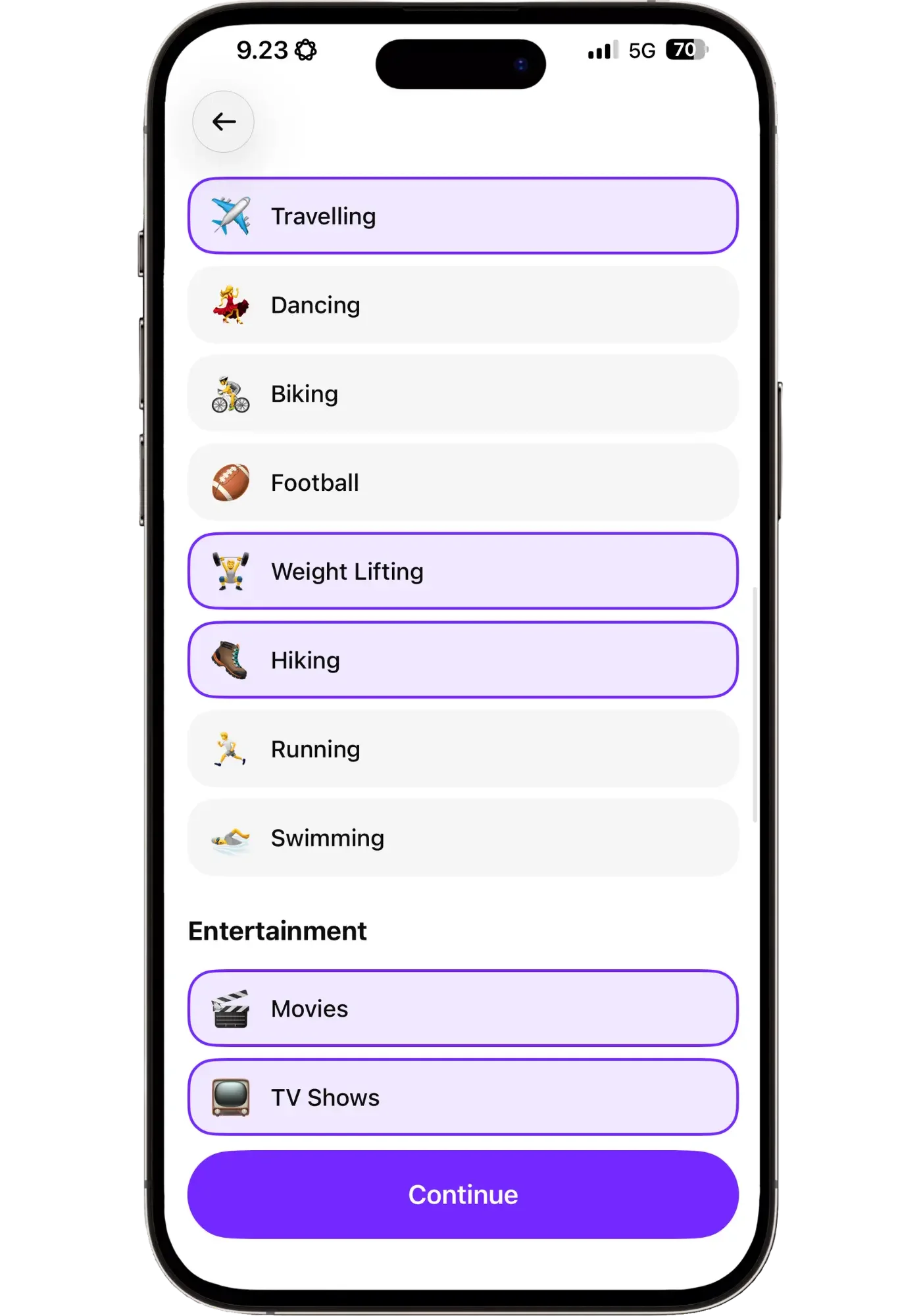
You can change this at any point, which is what I did. Around fifty interests in a handful of categories.
What a lesson looks like at this level
A B2 lesson is very different from an A0 one. At this level, you can already speak on some level but want to improve it and clean up some mistakes. Or you understand quite well, but you have trouble getting the language out. AI is great for improving both.
My plan had things like intelligence, personal development and networking. You can do the lessons in order but you don't have to, so I scrolled to the one I felt like doing: personal relationships and emotional development.
Opening a lesson with Noah, the vibe was different from the start. He's more cerebral and restrained than Raven. He answers seriously, and you can catch him glancing at something off to the side like he's checking a screen. He's from San Francisco, writes a blog about the future of technology, listens to electronic music and modern jazz, and took it as a compliment when I asked if he was a tech nerd.
The lesson started with "nombra tres cosas" — name three things that make you feel motivated. Noah gave his three, then I gave mine, with follow-up questions.
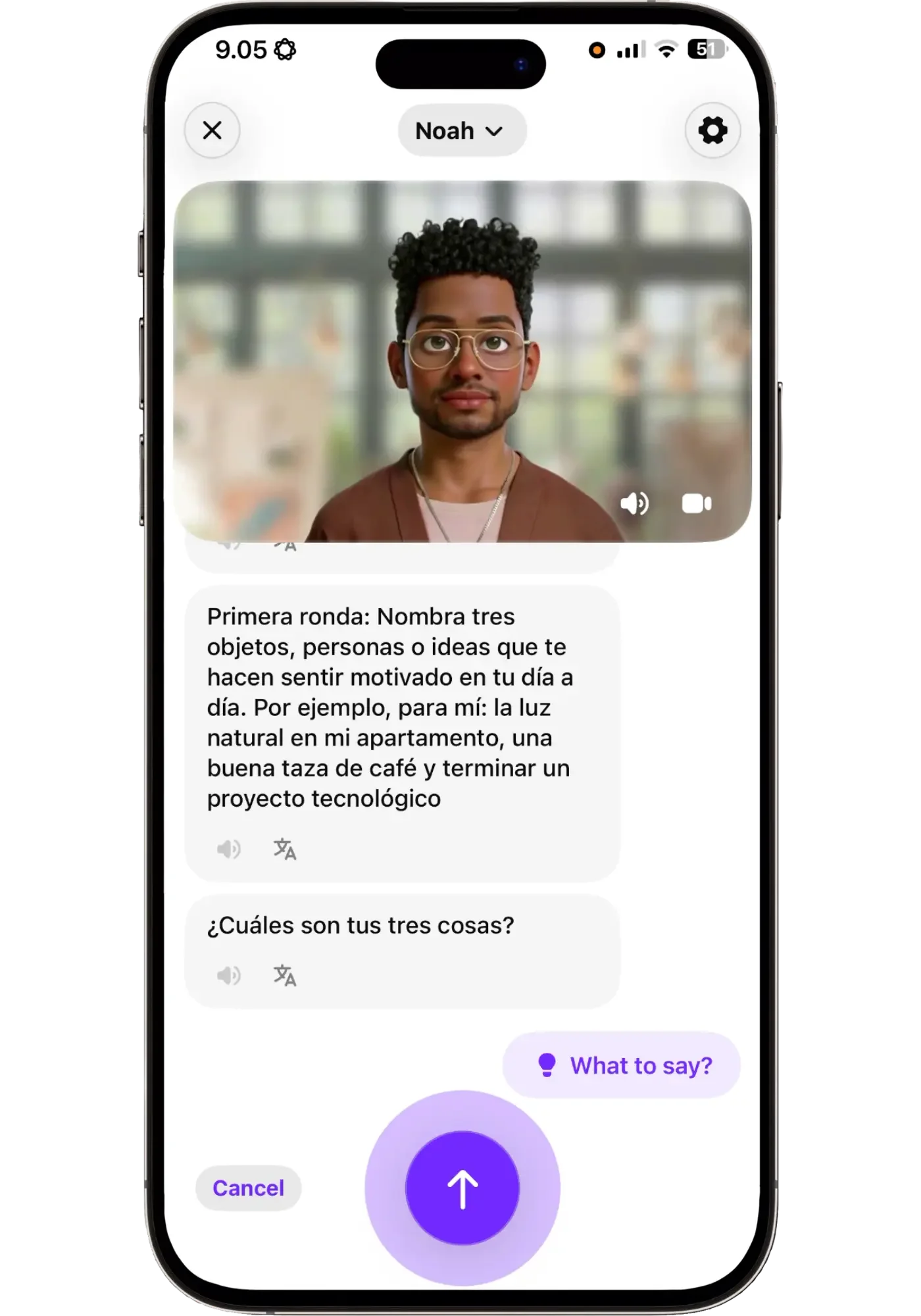
Noah names his three before asking for mine — natural light, good coffee, finishing a tech project. Not "how's your day going," but a planned activity for the lesson.
About eight minutes in, he mentioned that one of the things he does to relax is turn on smart lighting at home. That caught my attention, because it's something I'd been thinking about getting myself. So I asked him how it works.
Watch part of my Spanish lesson at B2
What follows is what the clip below shows: a lesson activity turning into a conversation about something I actually wanted to know more about (smart lighting). He starts by correcting a couple of things I'd tried to say, then answers.
Note: I clicked on the full translations — not because I needed them myself — but so that if you don’t speak Spanish you can still follow along. I've also cut some of my longer pauses and ramblings to make it flow better (I was tired that morning), but you still get to hear how our conversation flowed:
What's interesting about a tutor like Noah is that you'd expect a cartoon character to make everything more playful and childish. It actually doesn't. Our conversation was a fairly serious one, while the app keeps the overall light feel.
Corrections and feedback
Apart from feedback in-chat, where you can set the level of strictness to soft, balanced, or strict, you also receive a score after each message: overall, fluency, rhythm and completeness.
I wouldn't read much into these. You'll score low on fluency almost every time, because it's measuring how smoothly you spoke, and hesitating while you find a word is exactly what you're using the app to improve. Though I could see it potentially being a useful reference at times — as long as you don’t rely on it. AI isn’t good at judging pronunciation at this point.
The "it is better to say" feedback is the most useful. It’s judging word choice, conjugations and word order, which AI is good at. I don't open it every time, because I find it quickly gets tiring, but it's useful when I want it. In general, I prefer the corrections that come up naturally in conversation.
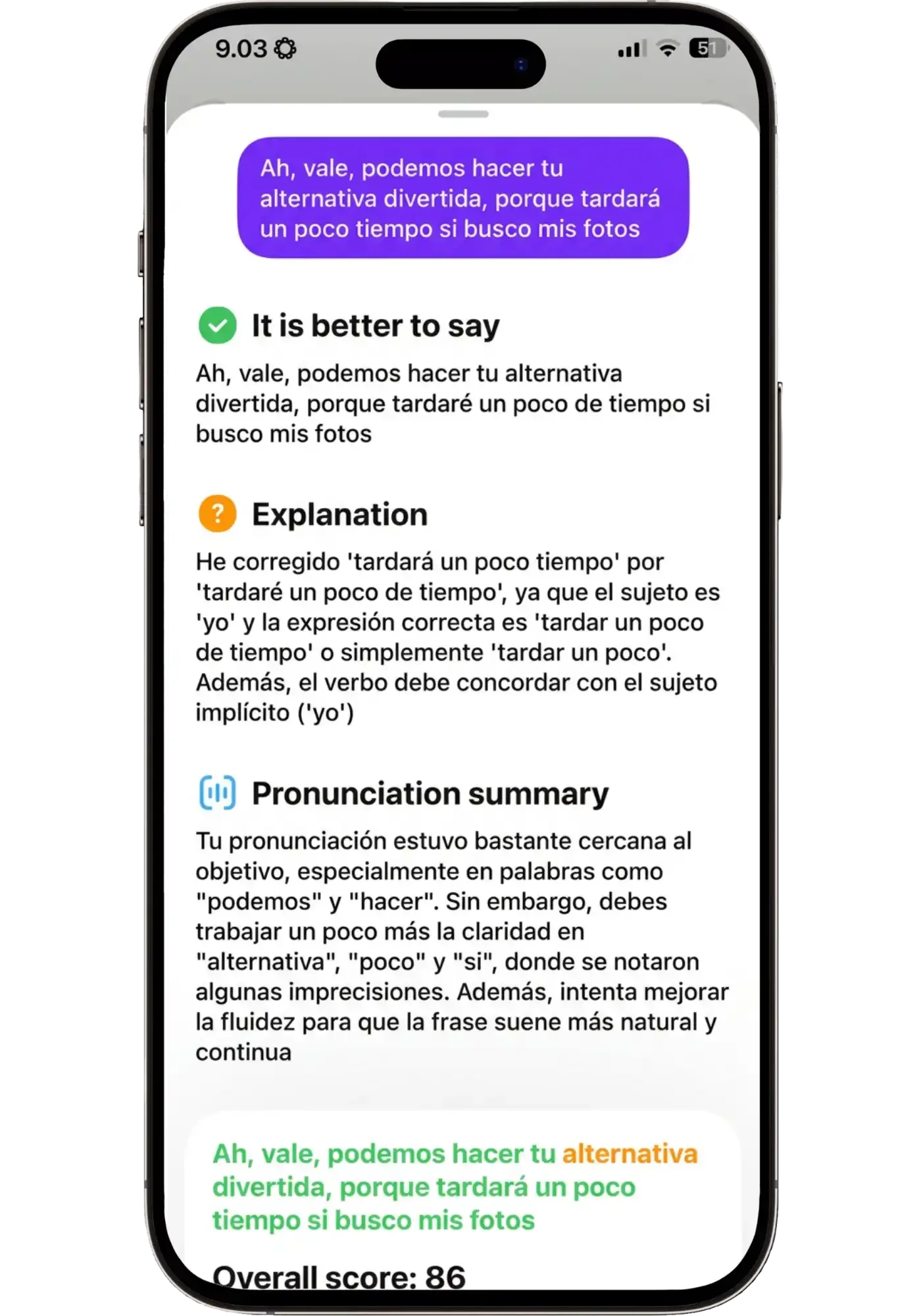
I said ‘tardará’ when the subject was yo. It gave me the fix, why the verb had to agree, and which words my pronunciation blurred.
At the end of one lesson I asked Noah for feedback on my Spanish and tips for how I could improve, mostly out of curiosity about what he'd say.
What I got was generic advice: listen to podcasts, review, speak out loud even on your own. Nothing wrong with any of it, but it wasn't specifically about me and my ability. It's not the kind of feedback a teacher gives after watching you over weeks and noticing your particular tendencies.
So what I experienced was that the corrections inside a lesson are usually sharp and specific. The summing-up at the end is general language learning advice.
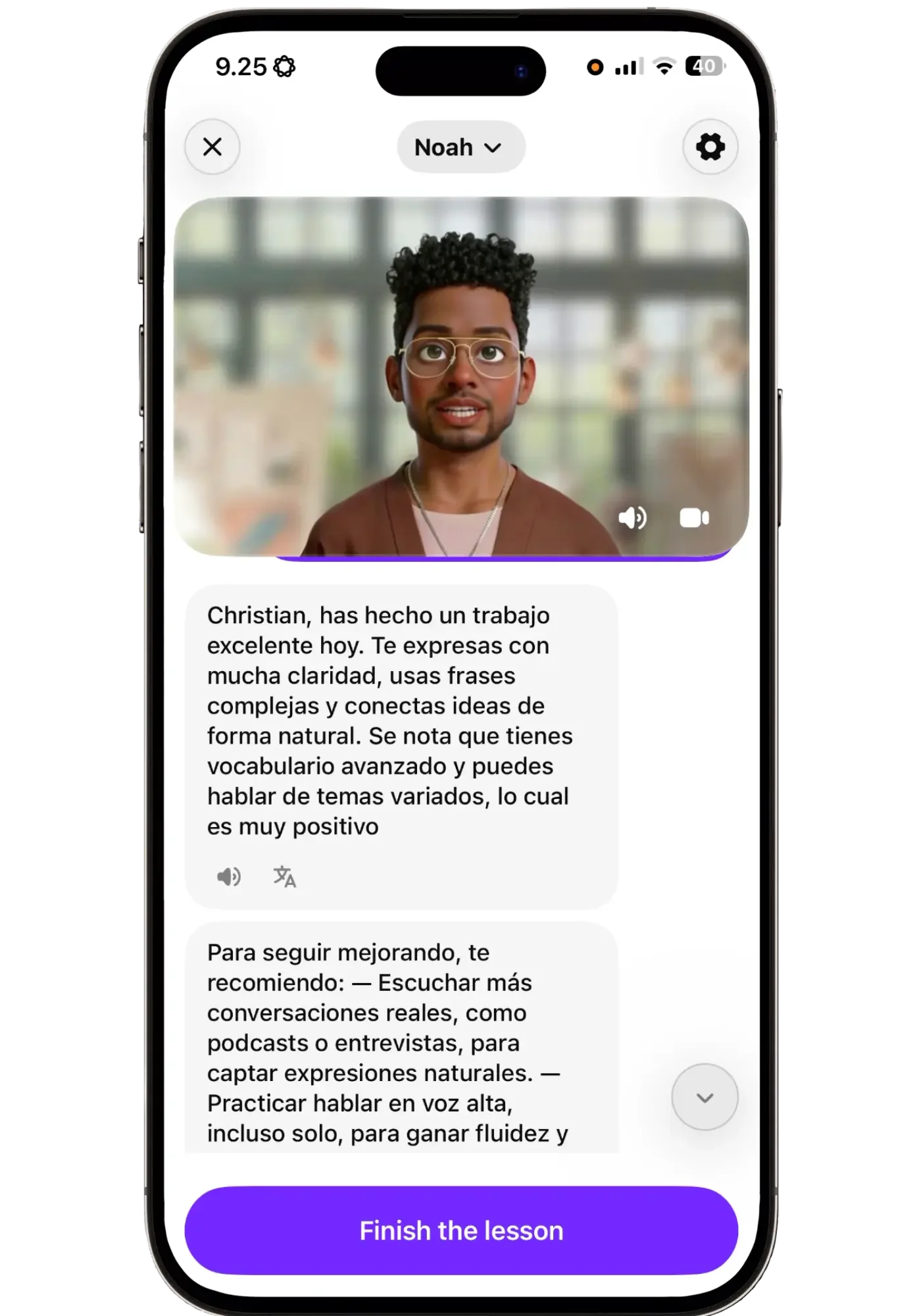
Twenty-two minutes later, the same lesson ends like this. All true, none of it about anything I'd actually said.
The best parts happen off-script
Just like in Korean, the best parts came from the detours — the smart lighting conversation in the video being a good example.
It's also where the useful questions come up. You can drop English into the middle of a sentence when you don't have the word. I did that when I couldn't remember "stay awake" and said "normalmente, no stay awake hasta tarde." He gave me the full phrase, and I saved it to my personal dictionary.
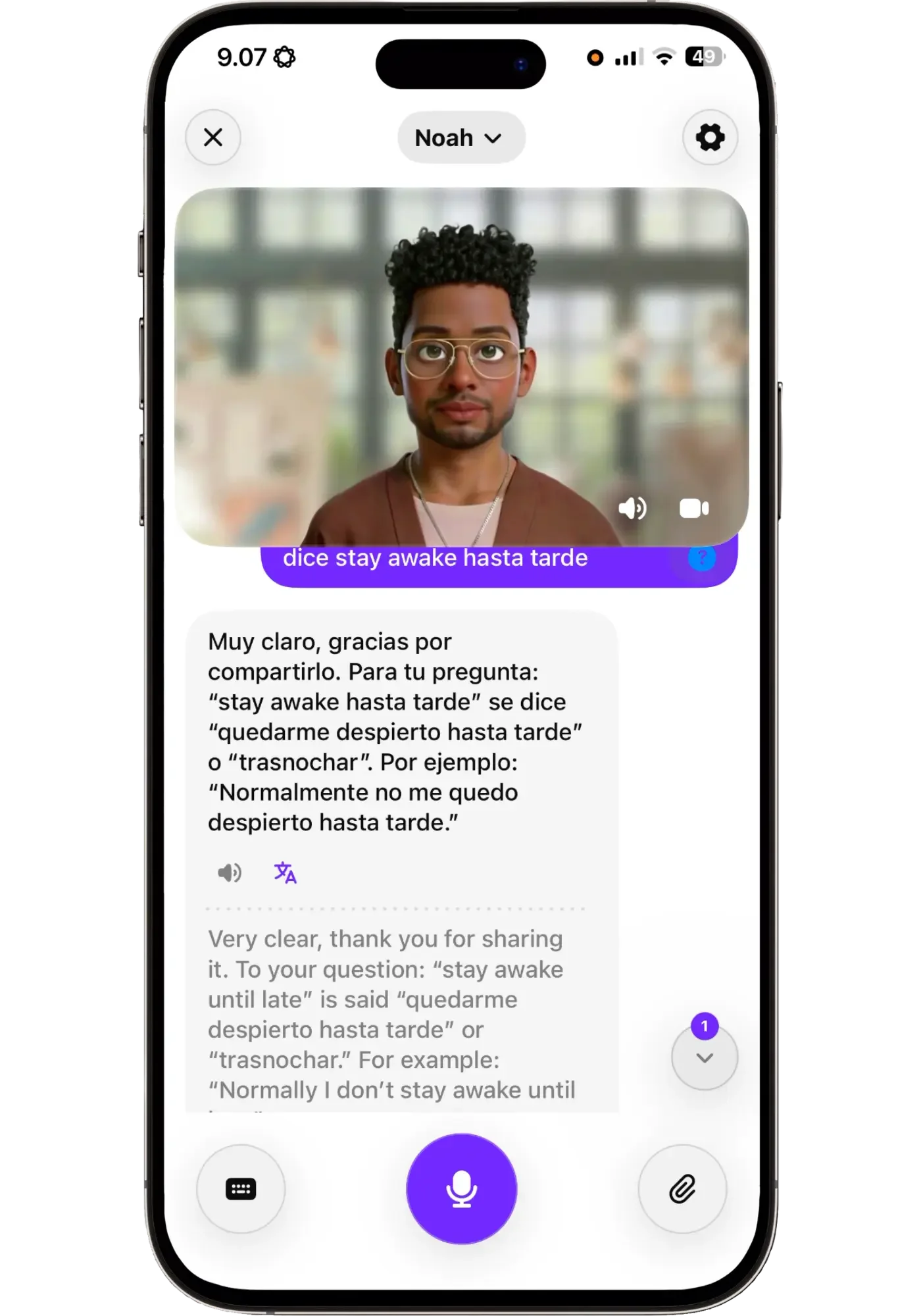
I forgot a word and just threw English into the Spanish sentence. He showed me how to say it and we continued.
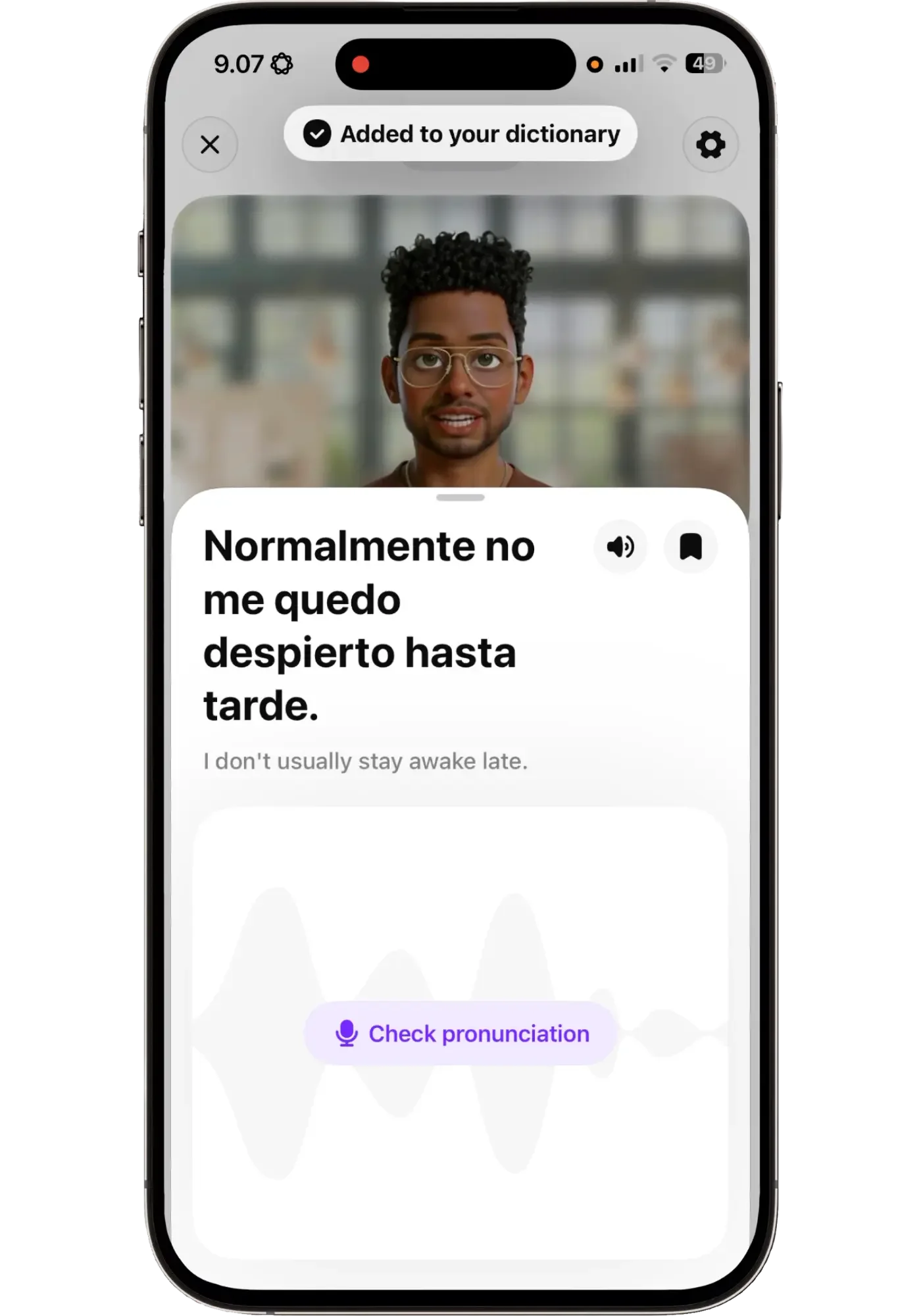
I swiped across to look up the whole phrase, then saved it for later.
Another time I learned that kettlebells are pesas rusas (“russian weights” — interesting but makes sense). He'd asked about three goals for the year and one of mine was getting stronger and more fit. And since I train with kettlebells that’s what I want to be able to say — since those are the things that will actually come up in conversations.
That's the same finding as in my Korean lessons. Just at a completely different level. The lesson gives you a starting point, and the valuable part is where you take it.
If you think you’ll enjoy this lesson-approach to learning, my link currently gives you 50% off.
Free Talk
Free talk works, and you'll have a good conversation. But the tutor stays a tutor.
They’ll answer personal questions — what they did today, weekend plans, their age, if they have kids — so I like that part. But they’ll also keep checking whether you want to continue with this topic or move to another one — which is a teacher managing a lesson, not someone having a conversation.
I asked Raven directly to drop it and just talk like two friends. She agreed warmly, asked how my morning was — but within two exchanges was correcting my Spanish and offering topic options again.
It doesn’t mean it’s bad, it’s just not the strength of the app. Some people will actually like that it's a bit more structured than a completely open chat. But I never got the depth I get in Langua, where a conversation can really feel lifelike and go for as long as you want.
My conclusion so far: if free conversation is the main thing you're after, this isn't the ultimate app for that — the lessons are where the app shines.
Praktika pros and cons
Whether these matter depends on what you want. If you're after maximum speaking time or free-flowing conversation, several of them count. If you want a lesson to show up for, many of them won't.
What I like
- Every lesson opens with an activity, not "how was your day?" Most AI apps give you the same starting point every time. Here there's something to actually do — and having something to start from is what makes the detours possible
- The lesson types are genuinely creative Inference, speed reading, scanning, listen and catch, grammar in action, to name a few — things I'd never think to do on my own
- The voices are excellent Second only to Langua out of the five AI apps I've compared
- The tutors have consistent personalities Ask Raven about music and you get the same answer every time. It makes it feel like talking to a character rather than a voice
- They notice the time of day and how many lessons you've done "Back for another one already?" is a small thing, and it's most of why I keep opening the app
- Staying on one topic for weeks means the language starts sticking Patterns from earlier lessons resurfaced and I actually used them
- It responds fast, which keeps the lesson flowing
- The lessons are planned, but not rigid There's a lot of room to move inside them, which keeps them feeling fresh rather than scripted
- You won't run out of material The A0 Korean path alone has 150–200 lessons, and there's another level waiting after it
- It's a genuinely nice app to use Warm, uncluttered, easy on the eye. That matters more day to day than any feature list
- One of the most affordable AI apps, without feeling like a budget one And one plan covers every language, which matters if you're learning more than one
What I don't
- Playback control is limited You can't pause the tutor to check your own feedback first, and there's no slow-play button
- No way to hide the transcript, so it's hard to make it pure listening practice
- You have to steer it yourself, every lesson It can't see that you're lost, so you have to say so
- The tutor often talks more than you do If raw speaking time is what you're after, this isn't the app
- Not the app for true free conversation Free chat works, but the tutor stays a tutor
- Vocabulary review only works one word at a time It's a short conversational exercise rather than flashcards — good for using a word in context, but doesn't scale once you've saved more than a handful
- It remembers things about you, but I wouldn't count on it long-term It knew my job from earlier lessons, but had forgotten my favorite film from several months back (which it remembered back then)
- Pronunciation scoring isn't much use as a learner You'll score low on fluency almost every time, because it's measuring hesitation — and hesitating is exactly why you're using an AI app
- No romanization setting. I have to ask for it to be turned off every single lesson I want it off
Who Praktika is for — and who should skip it
Who Praktika is for
You want a lesson waiting rather than a blank slate
You're a beginner or lower intermediate and would rather be told what to do than decide yourself
You'd rather have an app you'll actually open than the most efficient one
You like the idea of talking to a tutor with facial expressions and a personality
You prefer simplicity over a long feature list
That's not to say it isn't effective. But some of your time does go on being taught about the language rather than absorbing it, and that’s worth knowing going in.
If most of those sound like you, my link takes 50% off while the discount is running.
Who should skip it
Maximum speaking time is your priority
You mainly want free conversation
You want systematic vocabulary review
You want flexibility: upload your own audio, build custom scenarios, or set the tutor's personality for roleplay
You want a path that adapts to you rather than one that's set from the start
If several of those describe you, Langua does all of it — and that's not a knock on Praktika. They're built for different things and different people.
And if neither is a fit — because of the language you're learning, or because you want something different — see my roundup of the top 5 AI speaking apps.
Will I keep using it?
After two years with Langua, nothing has made me want to switch. The voices, the review and feedback system, the memory, and the freedom in how you practice are things no other app gives me. Praktika isn't as versatile — though they're also at different price points.
That said, I'm seriously considering adding Praktika for Korean. It's a very different experience, and after months of feeling bad about my Korean speaking, it's where I started feeling good about it. My foundation there came from Speak, which was excellent early on but left gaps in the Korean course specifically — Praktika is what finally started filling in some of those gaps.
Praktika’s lessons are the main thing in the app and something I can’t get anywhere else in the same way. It’s not that I couldn’t learn those same things, but it’s the experience that I really like. I like that feeling of “I wonder what today’s lesson is going to be about”.
So I haven't decided. I'm juggling several apps and languages and we'll see what I end up doing. But it's a stronger contender than I expected it to be before I used it properly, so I wouldn't be surprised if I end up having a lesson with Raven on a coffee break.
If you’d like to see what the top 9 apps that I use the most are, download my Daily Language Stack where I break down how I use each one and why each has earned a place in the first page of my language learning folder:
What Praktika costs (50% discount currently live)
Praktika has three plans:
$17.99/month
$47.99/3 months
$119.99/year
There's only one tier. No premium add-ons, no features locked behind a higher plan — you get everything and all languages whichever you pick. You're only paying for how long you want access. Prices vary slightly by region, currency, and by where you sign up, so what you see may differ.
Right now there's 50% off, which brings the annual plan to around $60 for the year. That's one of the most affordable AI speaking apps out there (the lowest price I’ve personally seen on an AI app), and Praktika doesn't feel like a budget app the way some others at a similar price do.
Important to know: the 50% off discount applies to your first payment. So on the monthly plan you'd pay half for month one and full price after that. On the annual plan you get a full year at half price, which makes it by far the best value if you're planning on sticking with it.
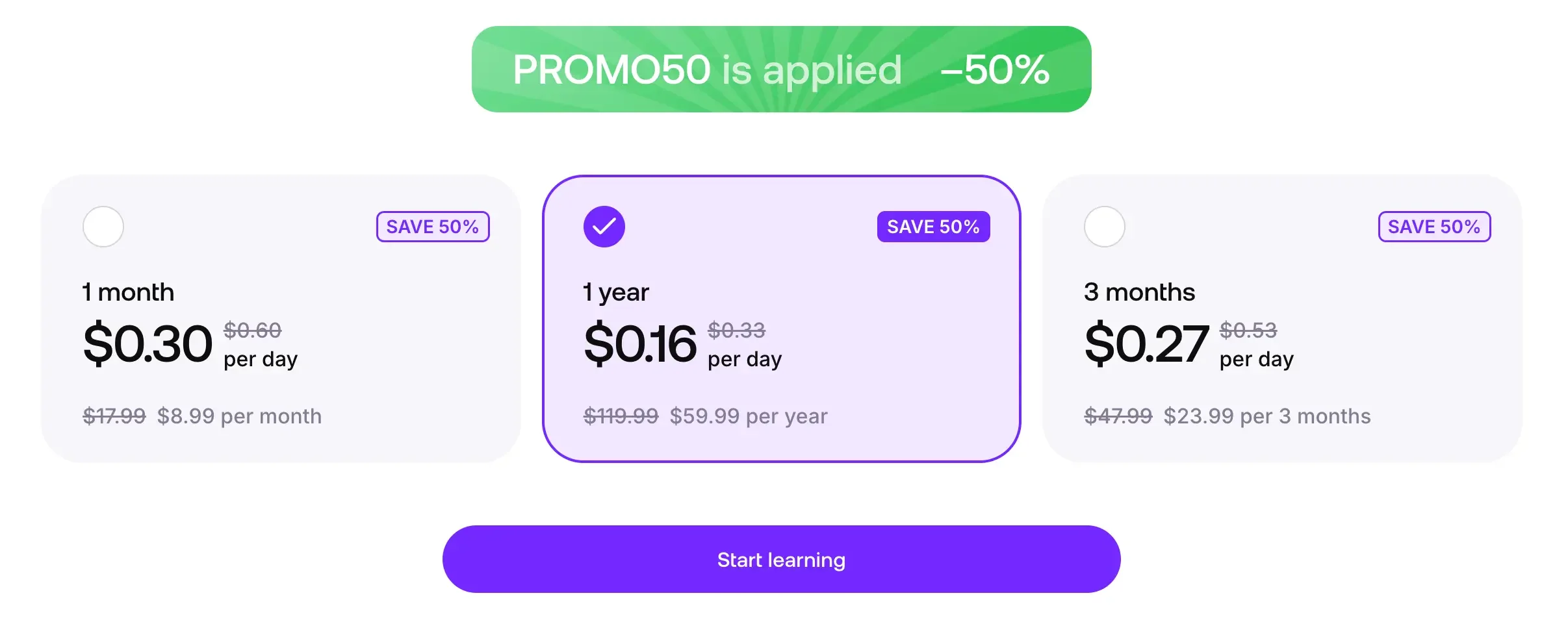
What the 50% looks like at checkout. I'll update this if the discount changes, but for now it’s active.
What about a free trial?
Praktika say there's a 7-day trial through the App Store and Google Play. I didn't see one when I signed up fresh to check, so I can't confirm it — and there's no trial on the web.
What this means: there’s no trial attached to the discount, so you can either take the trial or the discount, but not both. The trial lives in the app stores, while the discount lives on the web, which is where the links on this page go.
If you already know you want it, going straight through the link below you’ll lock in the discount — the annual plan at half price is really good value for a year of daily lessons.
If you'd rather test it first, take the app store trial. Just know that if you then want the discount, you'd be starting a new account on the web and losing your lesson progress. A week of lessons isn't much to lose against half off a year, but just so you know before you start.
Verdict — Is Praktika worth it?
Praktika grew on me. I came in without expectations, liked it immediately, then saw the flaws, then worked out what it's actually for — which took me a while, because I'd been judging it as something it isn't.
There are still things I'd like to see. Vocabulary review is the big one: right now you can save words and review them in a lesson format one by one. It’s an interesting approach, but once you have more than five words or expressions you’d want to review them efficiently. Even simple flashcards would make a real difference. A romanization toggle for Korean would also save me asking every lesson.
But a few things I complained about publicly have shipped since: tap to translate, hands-free mode, and the most welcome addition is the new tutors.
I've also come to realize the shorter feature list is part of the point. Fewer things to configure and less to be distracted by, which will suit people who can't be bothered with any of that.
Here's another thing I realized: the lessons are creative and varied, but they're not always the most efficient way to learn a language. Praktika isn't optimizing for optimal efficiency — it's optimizing for you wanting to open it tomorrow. And over months, something you're glad to do every day beats a more efficient method you avoid.
That sounds like a compromise, and maybe it is. But the bigger problem in language learning is staying consistent, and Praktika made it easy for me to open the app every day.
So if you want a daily lesson prepared and waiting, from a tutor who remembers you and makes it enjoyable, Praktika is worth a try. If what you want is pure conversation practice or the deepest feedback and review tools, I'd take a look at Langua.
But I had a genuinely good time, learned real phrases, and kept wanting to know what the next lesson would be about. For something you're meant to do every day, that's not a small thing.
This link goes to the web sign-up, with the 50% off discount auto-applied.
Praktika FAQ
What languages can you learn with Praktika?
Thirteen at the time of writing: Spanish, French, Italian, German, Japanese, Korean, Chinese (Simplified), Portuguese (Brazil and Portugal), Russian, Arabic, Dutch, Polish, and English. The list has grown since I started using it, so it's worth checking the current list — it's the first thing you choose when you sign up.
I've used it for Spanish and Korean.
Does Praktika have a free trial?
There's a 7-day trial through the app stores, though I didn't see one when I recently signed up fresh to check. There's no trial on the web as far as I know — you get 50% off your first payment instead. See what Praktika costs for how to choose between them.
Is Praktika good for complete beginners?
Yes, with two caveats. If you're genuinely at zero, start at A0 rather than A1 — A1 assumes you can already read the script and handle simple sentences.
And don't use it as your only resource. You can start that way, but you'll eventually want something targeted at building your comprehension alongside it.
The risk I'd watch for is leaning on English too much. The tutor will happily explain everything in English, which is comfortable but means less exposure to your target language — and that exposure is what prepares you for real conversations and native media.
How long is a Praktika lesson?
Mine have been about 8 to 25 minutes. It depends on how many questions you ask and how long you want to stay in it — you can stretch a lesson out or finish it quickly. It’s totally possible to do a lesson in five minutes.
Does the tutor remember you between lessons?
To a point. And I actually don’t know exactly how the memory part in Praktika works. It knew my job and things I'd mentioned in earlier lessons. But it had forgotten my favorite film from a few months back, which it had remembered at the time. So expect it to hold recent context, but not a long history of facts about you.
Can you choose what to study, or do you follow the path?
Both. You can follow the path, skip ahead to a topic you'd rather do, or use free talk to chat about anything.
Can you review vocabulary in Praktika?
Yes, and it arrived while I was writing this. You save words and whole phrases to a dictionary, and you can review one by one in a short conversational exercise where the tutor asks you about the word and gets you using it.
I like the approach — it's in many ways more useful than a flashcard, but there's no batch mode. Reviewing one word as its own exercise is fine for five words and unworkable for five hundred, which is where you'll be within a few months.
Are the avatars weird?
Some of the older ones, a little — especially in full screen. But the newer cartoon-style ones aren't weird at all. They add something to the chats that other AI apps don't have. Worth trying a few though to see which one you prefer. They are quite different from each other.
Praktika vs Langua — which should I get?
Depends what you want, and what language you're learning — Langua covers 24 to Praktika's 13. Beyond that: Langua for maximum freedom in conversation and the deepest feedback and vocabulary tools. Praktika for a guided daily lesson with a tutor that has a consistent personality. I've written a full comparison of five AI speaking apps if you want the longer answer.
Can you get a refund?
Praktika's terms say fees are non-refundable, though they'll consider requests case by case. If you subscribed through an app store, refunds go through them rather than Praktika.
The practical advice is to cancel rather than rely on a refund — and cancel through your app store's subscription settings, not by deleting the app. Deleting it doesn't stop the billing.
Can you use Praktika as your only app?
Probably, in the same way Pimsleur or Rocket Languages can be at the start. But I haven't tried learning a language from scratch purely with an AI tutor. The only AI app I've learned a language from zero with is Speak, which has been my favorite beginner app for several languages, but it’s a different thing — a structured course where AI powers it rather than an AI tutor teaching you.
The two things you'd have to solve yourself are free conversation, since the teacher-student frame never quite drops — though that doesn't really matter until intermediate — and listening and reading comprehension.
That one's harder than it looks. You'll decode unfamiliar sentences in any beginner resource, but in a course that's the only thing you're doing, and the material is usually built with comprehension in mind. In a lesson you're working out what she said, what she wants, and what you're going to say back, all at once.
That's where the overwhelm comes from. I felt it early on with Raven speaking only Korean at A1, so I switched to English — which meant I was no longer working on comprehension, but my brain wasn't fried after ten minutes either.
By comprehension I mean something where understanding is the only job: a course like StoryLearning's Uncovered, a reading and listening platform like LingQ, learning through TV shows with Lingopie, or comprehensible input channels like Dreaming Spanish or similar. Anything where you're absorbing the language and not producing it.
